How Long Do Credit Card Payments Take to Settle?
Credit card payments typically take 1–3 business days to settle, although some transactions can settle as quickly as the next business day. The exact…
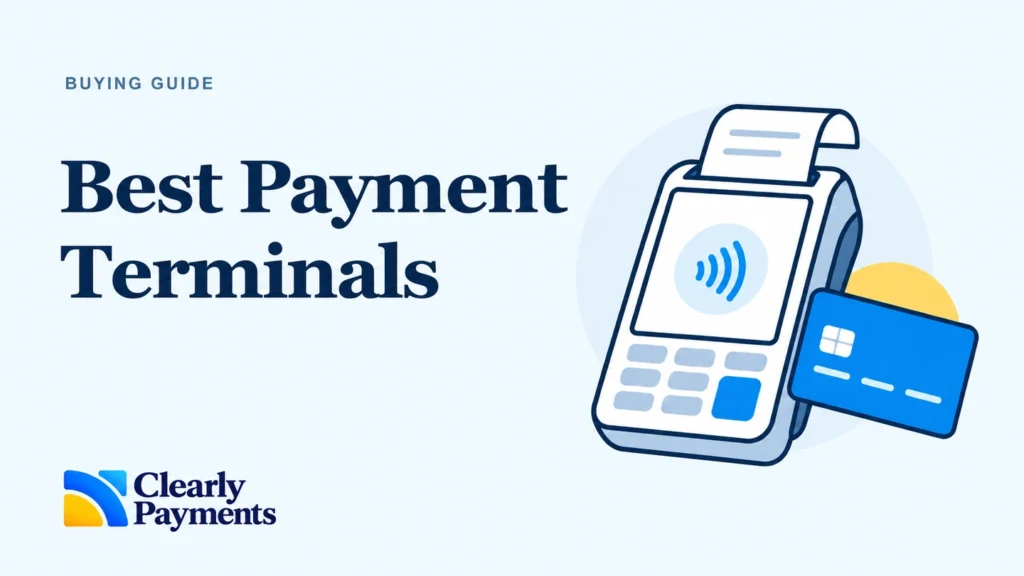
There is no single best payment terminal for every business. For straightforward counter payments, we recommend the Ingenico Desk 5000. For a new portable smart-terminal setup, start with AXIUM DX8000. Choose Poynt C for a checkout with separate merchant and customer screens, or Clover Flex 4 for handheld payments and a broader Clover POS workflow in the U.S.
The right credit card machine follows the way you work. A salon taking deposits at reception needs something different from a server taking orders and payments at a table. We compare six terminals Clearly Payments works with, including where we would choose a different device.
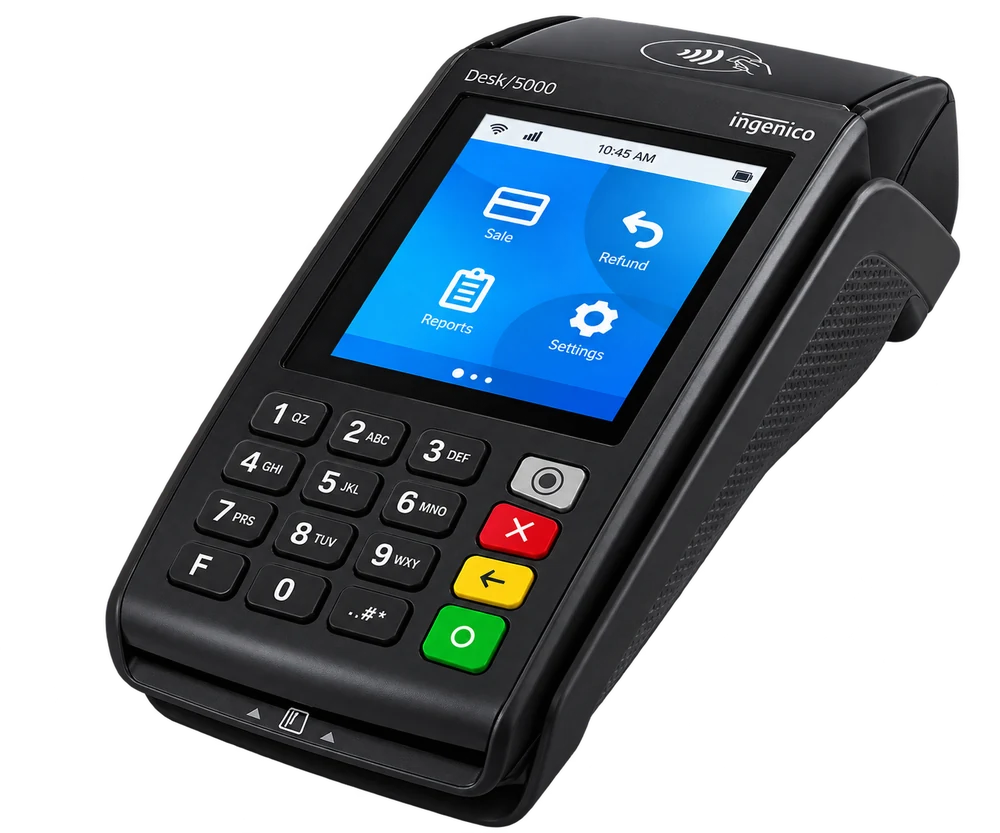
Desk 5000: physical keys, a built-in printer and no charging routine.
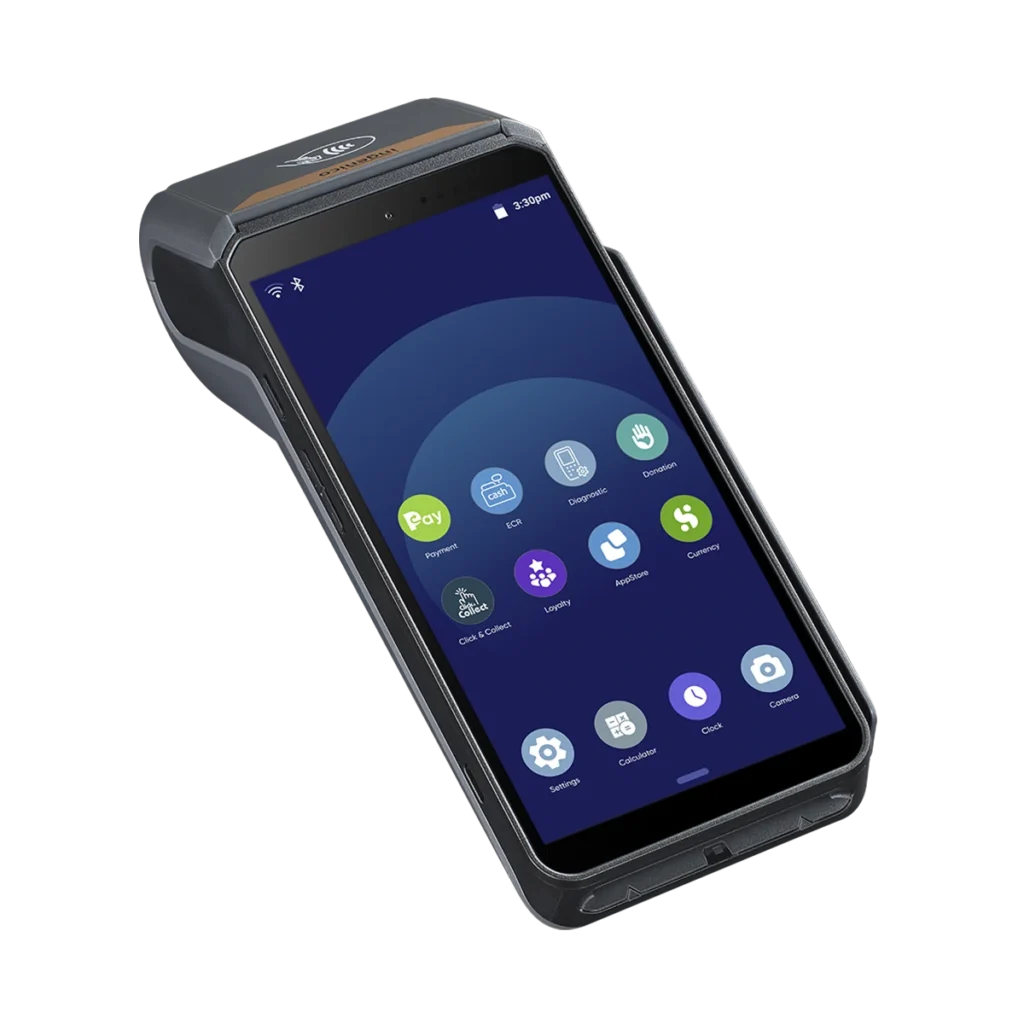
AXIUM DX8000: a large touchscreen, printing and wireless connectivity.
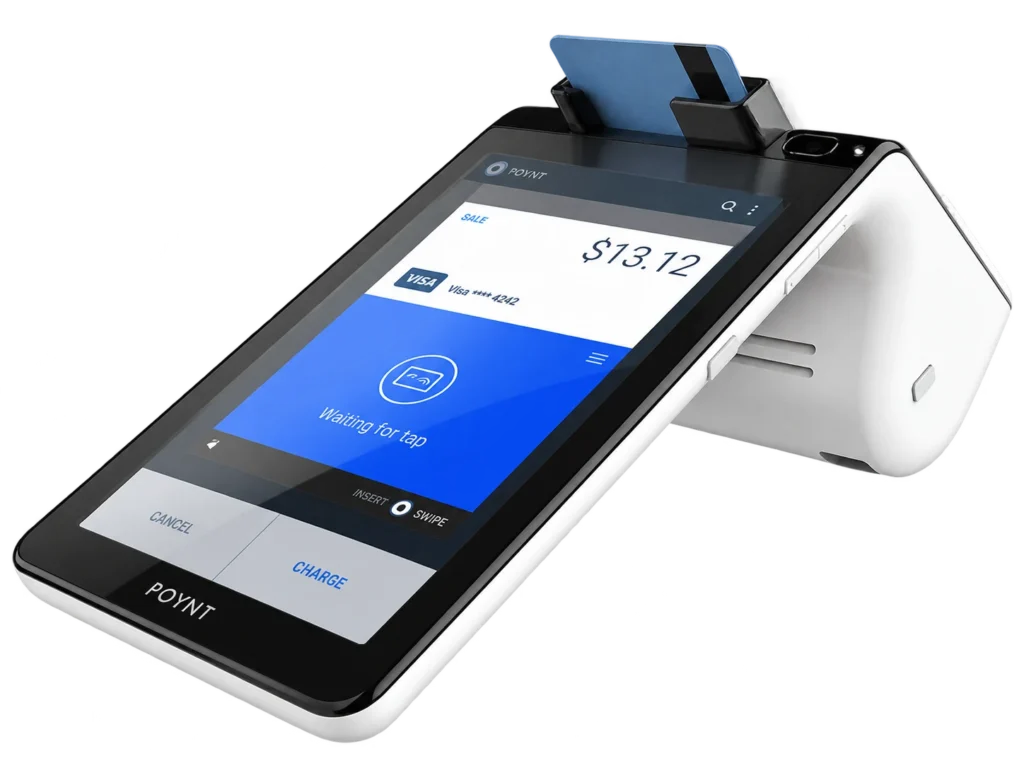
Poynt C: two screens in one device, without passing the merchant screen back and forth.
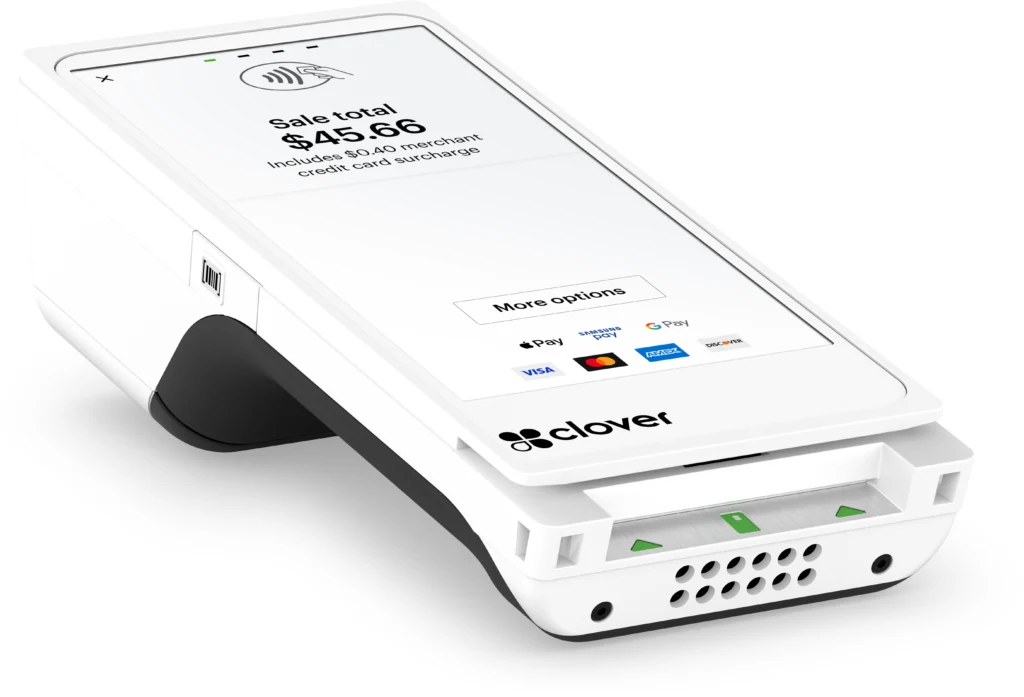
Clover Flex 4: payments, ordering and business tools in the Clover ecosystem.
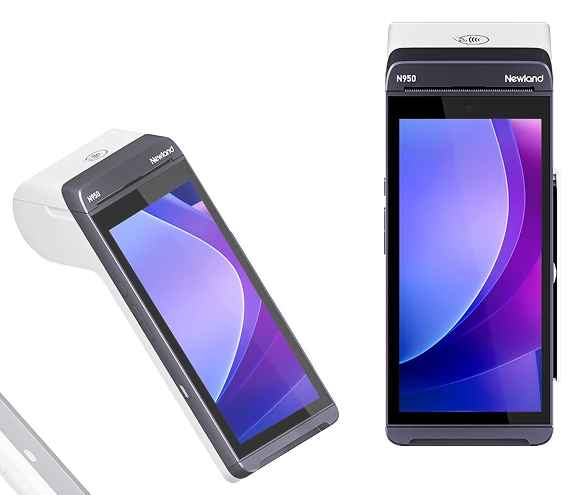
Newland N950: compare the supported payment and POS application with AXIUM before deciding.
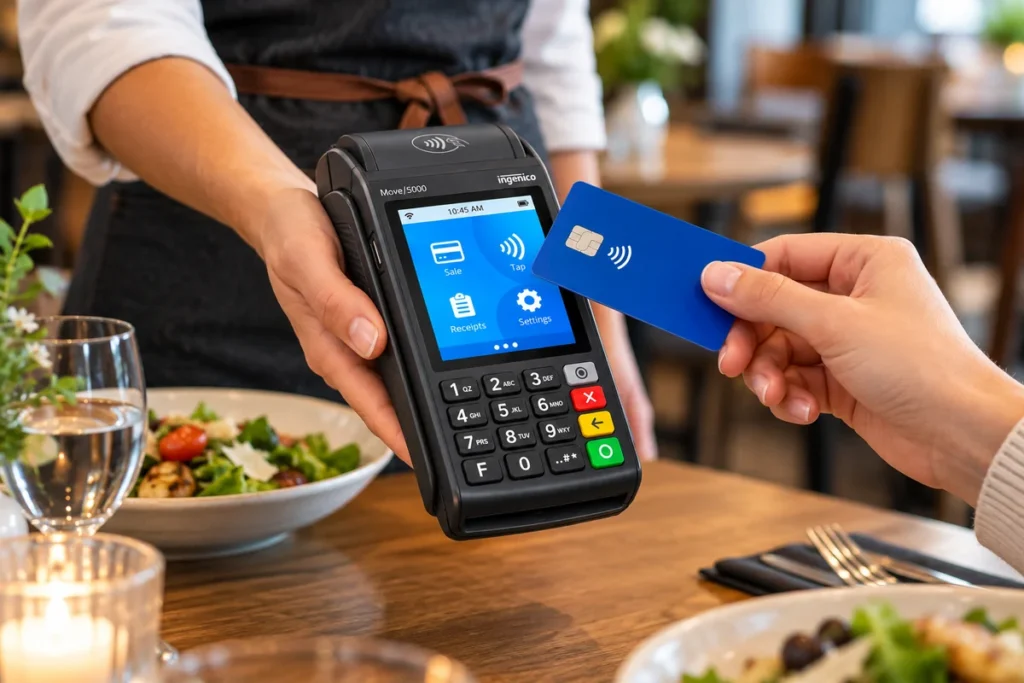
Move 5000: familiar payment acceptance, with a model-specific replacement plan.
Compare the terminal’s main job first. All six models include a receipt printer; connectivity and software differences matter more than the presence of a touchscreen.
Tell us how you take payments and we’ll help you narrow it down.
Help me shortlist a terminalClearly Payments has sold, deployed, configured and supported these types of terminals thousands of times. Our recommendations combine that operational experience with manufacturer specifications. We assess hardware and usability, mobility and connectivity, payment capability, POS software, setup effort, business fit and total operating value.
Ratings are our qualitative editorial judgments for the use case stated, not customer-review scores. Excellent means a leading choice for that job; Very Good means a strong fit with a meaningful trade-off; Good means useful in a narrower situation; Limited means we would usually shortlist something else. We do not claim measured transaction-speed or failure-rate differences.
Excellent for simple fixed-counter checkout
Choose Desk 5000 when the payment stays at reception, a service desk or a checkout counter. Its 3.5-inch touchscreen and physical keypad put payment acceptance ahead of app-based business management. It has an integrated thermal receipt printer and mains power.
In our deployments, the practical advantage of a fixed terminal is simple: staff know where it is, and nobody starts a shift looking for a charged device. We favour an Ethernet connection where the counter has a suitable network port. Wired connectivity removes Wi-Fi coverage as a dependency; it does not make an internet connection outage-proof.
Key hardware: 3.5-inch touchscreen · Physical keypad · Integrated thermal printer · Chip, tap and magstripe hardware · Ethernet and other connectivity options by supplied unit
Strengths
• No battery-charging workflow at a permanent counter.
• Physical keys and printed receipts suit straightforward payments and refunds.
Trade-offs
• A poor choice when staff need to take the terminal to customers.
• A smaller screen and payment-focused software do not replace a full POS system.
Best for professional services, reception desks and retail counters that already have an effective till or software system. Choose Poynt C for separate customer interaction, or a portable terminal when the transaction moves away from the counter.
For a new order, confirm the exact hardware revision and support horizon. Older Desk 5000 versions have separate lifecycle notices; the family name alone does not identify the supplied version.
Excellent for a new portable payment setup
AXIUM DX8000 brings a 6-inch touchscreen, built-in receipt printer and rechargeable battery to a handheld payment workflow. The supplied 6-inch version supports Wi-Fi, Bluetooth and 4G hardware. It accepts chip, contactless and magstripe payments through the installed payment application.
We would put AXIUM ahead of Move 5000 on a new portable-terminal shortlist. The larger screen gives staff more room to work, and Ingenico identifies AXIUM as a migration direction for ageing Move hardware. The decisive check is the application: Android hardware does not automatically include restaurant ordering, stock control or every POS integration.
Key hardware: 6-inch touchscreen · Android-based platform · Integrated thermal printer · Rechargeable battery · Wi-Fi, Bluetooth and 4G hardware
Strengths
• A useful screen size for a handheld terminal with printed receipts.
• A practical migration route to assess when replacing older Ingenico portable devices.
Trade-offs
• Its value beyond payments depends on the approved software and POS connection.
• A handheld still needs a charging location and a staff handover routine.
Best for mobile service, hospitality and merchants wanting a current portable payment platform. Choose Clover Flex when the Clover software ecosystem is the deciding factor. Choose Poynt C when separate screens matter more than handheld use.
For a broader till and business-management setup, compare the terminal application with talech POS rather than treating the device and the whole POS system as the same purchase.
Excellent for customer-facing counter payments
Poynt C has an 8-inch merchant touchscreen and a separate 5-inch customer touchscreen. The integrated thermal printer and rechargeable battery make it a self-contained smart payment terminal. Wi-Fi and Bluetooth are supported, with cellular-capable configurations and dock connections for a fixed setup.
The two-screen layout is the reason to choose it. At a reception desk or café counter, staff can work on their screen while the customer completes the payment on the other. We prefer that arrangement when customer-facing prompts matter more than putting the smallest possible device in a server’s hand.
Key hardware: 8-inch merchant display + 5-inch customer display · PoyntOS · Integrated thermal printer · Rechargeable battery · Wi-Fi and Bluetooth; optional cellular · Dock supports Ethernet and USB peripherals
Strengths
• Separate screens keep the merchant and customer sides of checkout distinct.
• The printer and optional dock support a tidy permanent-counter workflow.
Trade-offs
• The dual-screen body is bulkier for repeated handheld use than a single-screen terminal.
• Software and peripheral compatibility need checking before replacing an existing POS.
Best for retail, cafés, salons and professional services that want an integrated customer display. Choose a single-screen AXIUM or Flex for frequent tableside movement. For a larger product catalogue or complex restaurant service, assess the complete POS workflow first.
This comparison covers the current Poynt C. The older 7-inch/4.3-inch Poynt models are different hardware.
Excellent for handheld Clover POS in the U.S.
Clover Flex 4 combines a 5.99-inch touchscreen, receipt printer, camera and barcode scanning in a handheld device. Wi-Fi, Bluetooth and 4G LTE hardware support work at the counter, on the shop floor or at the table. The important distinction is its place in the Clover POS ecosystem.
We recommend Flex when the merchant wants Clover’s business tools as well as card acceptance. A server taking an order and payment on the same device has a different requirement from a server entering a total into a standalone card machine. Flex is the stronger fit for the former when the chosen Clover software supports the restaurant’s workflow.
Key hardware: 5.99-inch touchscreen · Clover platform · Integrated thermal printer · Camera and barcode scanning · Rechargeable battery and charging cradle · Wi-Fi, Bluetooth and 4G LTE
Strengths
• Payments and supported POS tasks travel together in one handheld.
• Fits a larger Clover installation as well as a suitable standalone workflow.
Trade-offs
• Software plans and paid applications add to the hardware cost.
• It ties the buying decision to Clover compatibility, rather than acting as a universal Android terminal.
Best for U.S. restaurants and retailers choosing Clover for ordering, inventory or shop-floor selling. Choose AXIUM or N950 when a different approved payment/POS application is central to the setup. Choose Poynt C for an integrated dual-screen counter.
This review covers Flex 4 with a receipt printer. Flex Pocket is a different, digital-receipt-only device.
Very Good for a compatible Android payment workflow
Newland N950 pairs a 6-inch touchscreen with a built-in thermal printer and rechargeable battery. Its hardware supports Wi-Fi, Bluetooth and 4G, with cameras for supported scanning and application tasks. It belongs on the shortlist for merchants who want a portable smart terminal without choosing Clover as their POS platform.
The useful comparison with AXIUM is not which specification sheet has the longest list. It is which supplied application handles the merchant’s sales, refunds, receipts and POS connection with less friction. We would choose a proven compatible workflow over extra memory or an unused camera.
Key hardware: 6-inch, 1440 × 720 touchscreen · Android-based SmartPOS · Integrated thermal printer · Rechargeable battery · Wi-Fi, Bluetooth and 4G hardware
Strengths
• A large touchscreen and printing in a portable device.
• A useful alternative to evaluate alongside AXIUM for an approved Android workflow.
Trade-offs
• Manufacturer Android capability does not establish application or processor compatibility.
• More business software means more setup decisions than a basic payment-only terminal.
Best for service businesses, mobile checkout and retailers with a compatible payment application. Choose the alternative terminal if your existing POS has stronger certified support for it. The integration is worth more than a small hardware difference.
Confirm the supplied N950 configuration for your country. N950, N950S and N950K are distinct products; this review does not combine their specifications.
Good for compatible installed fleets; Limited for a new deployment
Move 5000 is the portable counterpart to a traditional fixed terminal. It has a 3.5-inch touchscreen, physical keypad, integrated receipt printer and rechargeable battery. Wi-Fi, Bluetooth and cellular capabilities differ by unit. For an existing merchant, familiar controls and an established POS connection are real reasons to assess it carefully before changing.
We would not call Move 5000 the best new portable terminal in 2026. Ingenico’s North American notice sets December 31, 2026 as end of support for affected PCI v4/v5 CL1/CL2 units. A separate notice gives December 31, 2030 for affected V-index-and-later references, with last shipment December 31, 2025. Those are different groups of hardware.
Key hardware: 3.5-inch touchscreen · Physical keypad · Integrated thermal printer · Rechargeable battery · Wi-Fi/Bluetooth and cellular options by part number
Strengths
• Familiar payment controls for staff already using a compatible installation.
• Portable payments and printed receipts without adopting a new POS software suite.
Trade-offs
• Lifecycle status requires the actual part number, not just the Move 5000 name.
• A smaller screen and ageing platform weaken the case for a fresh installation.
Best considered for a supported installed fleet or an operationally justified replacement. For a new business or a planned refresh, start by assessing AXIUM and the other current smart-terminal options.
Ask Clearly Payments to check the part number, payment software and support arrangement before deciding to keep, replace or expand a Move fleet. An end-of-sale notice is not itself a statement that every installed terminal must stop processing.
Choose Desk 5000 for a payment-only station alongside a capable existing till. Choose Poynt C when the customer-facing screen is valuable. For queue-busting, a compatible AXIUM or N950 takes payment onto the shop floor. A busy counter also needs enough terminals and a sensible printer/network arrangement; a more expensive device alone will not fix queues.
For U.S. restaurants choosing Clover, Flex 4 is our strongest handheld POS recommendation. For payment at the table alongside another restaurant system, assess AXIUM and its certified connection first. Do not assume that taking a payment at a table also means sending orders to the kitchen. Keep an existing Move installation only with a verified support and migration plan.
Poynt C is a strong choice for a compact customer-facing counter. Desk 5000 fits cafés that already have ordering and till software. Where modifiers, kitchen printing or several service stations matter, choose the POS workflow before the card terminal. Restaurant and hospitality payments covers the wider setup.
At a reception desk, start with Desk 5000 for straightforward payment acceptance or Poynt C for a richer customer-facing experience. Mobile technicians should compare AXIUM and N950 with an activated cellular service. A terminal that works on office Wi-Fi is not automatically ready for a customer’s driveway.
Our first check is coverage at the actual selling location, followed by the charging and receipt routine. AXIUM or a compatible N950 configuration is a sensible shortlist. For occasional selling, phone-based mobile payments can avoid buying a dedicated terminal.
Start with inventory, ordering, staff permissions and reporting requirements. Flex belongs on a U.S. Clover shortlist; a larger POS system can be a better fit for a permanent register. The terminal should follow that choice, rather than dictate it.
Choose Flex 4 for frequent handheld use and a Clover POS workflow in the U.S. Choose Poynt C for a compact counter with separate merchant and customer screens. Both print receipts. The deciding trade-off is handheld POS integration versus the dual-screen checkout experience, not simply smart terminal versus smart terminal.
AXIUM is our starting point for a portable payment terminal using an approved application outside a Clover-led purchase. Flex is the better choice when Clover ordering, inventory or the wider device family is the reason for buying. Compare the software subscription, POS connection and country offering with the hardware quote.
Desk stays at a powered counter; Move adds battery-powered portability. Both favour physical keys and a payment-focused workflow. If nobody needs to leave the counter, Desk avoids charging and searching for a shared handheld. If replacing Move today, compare AXIUM as well and check the existing unit’s lifecycle.
A traditional terminal concentrates on taking payments. A smart terminal adds a larger interface and an application platform. That is useful when staff actually use the extra software. For a merchant who enters a total, takes payment and prints a receipt, a simple terminal can be the better operational choice.
We can review the terminal, your current POS and the payment connection together.
Discuss my current setupMap a normal sale before choosing hardware. Does the customer pay at a fixed counter, at a table or at an off-site location? How many staff share a device? A fixed unit suits a permanent station. A handheld needs somewhere to charge, spare paper and a clear handover between shifts.
Ethernet is a good fit for a fixed counter with a network port. Wi-Fi provides movement within coverage. Cellular supports off-site work when the correct modem, SIM, data service and coverage are in place. Bluetooth usually links a terminal to a base or another device; it is not an internet service. Test a backup connection before relying on it.
All six families include chip, contactless/NFC and magstripe hardware. The enabled card brands, domestic debit, digital wallets and transaction types follow the payment application and merchant setup. Contactless limits are not one universal amount. A customer can be prompted to insert a card. Keyed payments are a different acceptance method, with different fraud and processing-cost implications; compare the relevant Canadian or U.S. interchange information.
These six models have built-in receipt printers. That avoids a separate printer for the basic card receipt, but does not establish kitchen-printer or till-receipt compatibility. Ask about digital receipts in the chosen software. For portable use, assess charging access, battery condition and how often staff print. We do not use manufacturer battery claims as a promise of hours in your business.
A familiar terminal name does not guarantee a compatible encryption profile or payment application. Confirm the exact model, supported processor, POS version and connection method. With an integrated setup, test a sale, refund, tip and end-of-day reconciliation. Clearly’s integration options are a better starting point than buying an unlocked-looking device online.
Request the hardware purchase or rental cost, software plan, cellular fee, paid apps, accessories, replacement terms and processing charges together. Buying suits a stable setup with a clear support plan. Rental can make replacement and upgrading easier when the agreement includes them. We advise against long, non-cancellable equipment leases that outlive the hardware’s usefulness. See our guide to payment terminal leasing costs.
Confirm the exact country, software configuration and supply/support status in your quote. Manufacturer availability alone does not establish Clearly’s supplied configuration. On older hardware, get the part number and support horizon in writing.
A physical credit card machine is not always necessary. For telephone and mail orders, a virtual terminal lets authorised staff enter a payment through a computer. For remote payments, a payment link or invoice also lets the customer complete payment without reading card details to staff. Do not ask customers to send card numbers by email.
For occasional in-person payments, compare a phone-based reader or supported tap-to-phone setup with a dedicated device. For a busy shop or restaurant, focus on the complete checkout system, including the till, staff workflow and integrations. Browse Clearly Payments’ terminal range for the dedicated product details.
Desk 5000 is our pick for straightforward fixed-counter payments. AXIUM DX8000 is our starting point for a new portable smart-terminal setup. Poynt C is strong when separate customer and merchant screens improve checkout. A small business needing inventory or ordering should choose its POS workflow first.
The terminal handles the payment. A POS system also manages the sale, such as items, prices, orders, stock and staff access. A smart terminal can run POS functions, but the installed software determines which ones. A touchscreen alone does not make a complete POS system.
AXIUM DX8000, N950 and Clover Flex 4 have cellular-capable hardware; Poynt C and Move 5000 also have cellular configurations. Check the supplied unit and activated data service. Wi-Fi-only hardware does not gain cellular connectivity through a software setting.
For a U.S. restaurant adopting Clover, choose Flex 4 for supported tableside POS work. For pay-at-table with a separate restaurant system, assess AXIUM and its compatible application. A counter-service restaurant with an existing till can use a fixed Desk 5000 or a customer-facing Poynt C.
Choose Desk 5000 for simple payment acceptance at an existing till, Poynt C for dual-screen checkout, or a compatible handheld for shop-floor selling. If stock control and product scanning are central, compare the POS software and integration before deciding on terminal hardware.
Sometimes. The new provider must support the exact model, encryption and payment application, and the device must be transferable under your agreement. Have the serial/model details checked before switching. Do not assume that owning the hardware makes it compatible with every provider.
Only when its software improves the job. Smart terminals make sense for integrated ordering, stock tasks or a richer checkout interface. A payment-only counter can be simpler with physical keys and fewer software decisions. Compare the workflow and ongoing costs, not the label.
Check the part number, support deadline, payment application, POS integration and data migration requirements. Then assess connectivity, accessories and staff training. Move 5000 lifecycle notices cover different hardware groups, so do not apply one deadline to every unit with that name.
Tell us your business type, payment volume, counter or mobile requirements, connectivity, POS system and location in Canada or the U.S. Clearly Payments will help you compare a workable setup and get a quote.
Get help choosing a terminalSpecifications and lifecycle documentation checked November 2, 2026. Recommendations and editorial ratings are Clearly Payments’ assessments.
Ingenico Desk 5000 · Ingenico AXIUM DX8000 datasheet, February 2026 · Newland N950 hardware · Poynt C / current Smart Terminal Duo hardware · Clover Flex 4 technical specifications · Move 5000 North American CL1/CL2 lifecycle notice · Move 5000 V-index lifecycle notice
Credit card payments typically take 1–3 business days to settle, although some transactions can settle as quickly as the next business day. The exact…
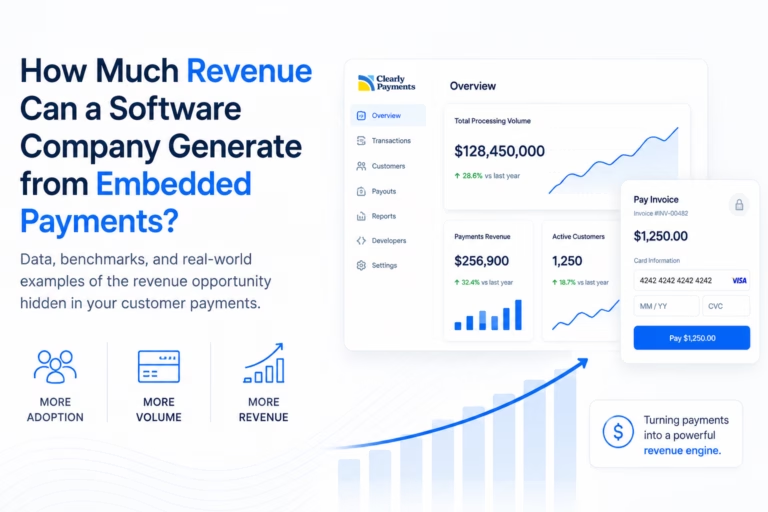
For many software companies, subscription (SaaS) revenue has traditionally been the primary business model. Customers pay a monthly or annual fee to access the…
Artificial intelligence is rapidly evolving from a passive assistant into an active participant in the economy. Today, AI systems summarize documents, answer questions, generate…