
VIRTUAL TERMINAL
Virtual Terminal for Secure Remote Payments
Take credit card payments by phone or remotely through a secure browser. Use your computer, laptop, tablet or mobile device, with no card machine needed to get started.
No setup fees. No long-term contracts. Real payment support, 24/7.
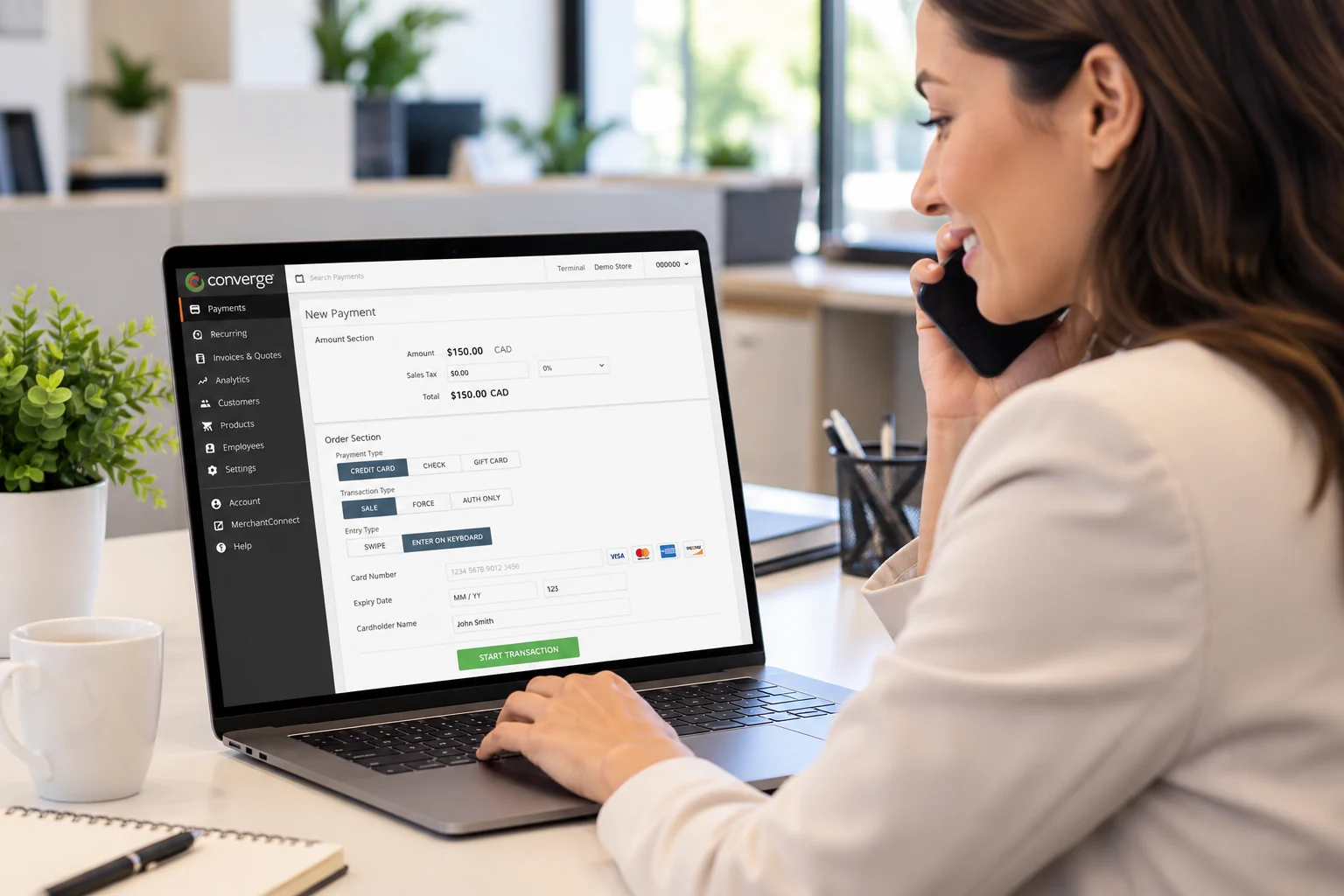
YOUR BROWSER BECOMES YOUR PAYMENT TERMINAL
The customer calls. You take the payment.
A virtual terminal is an online payment interface your team uses to enter a customer’s card details and submit a transaction for processing. It turns a browser into a credit card terminal for phone orders, remote services and back-office collections. Accept Visa, Mastercard, American Express and other enabled card brands through your merchant account.
You enter the payment. Your customer does not need to visit a checkout page or stand beside a card machine.
Want customers to enter their own details? Send them to a hosted payment page or use online invoice payments instead.
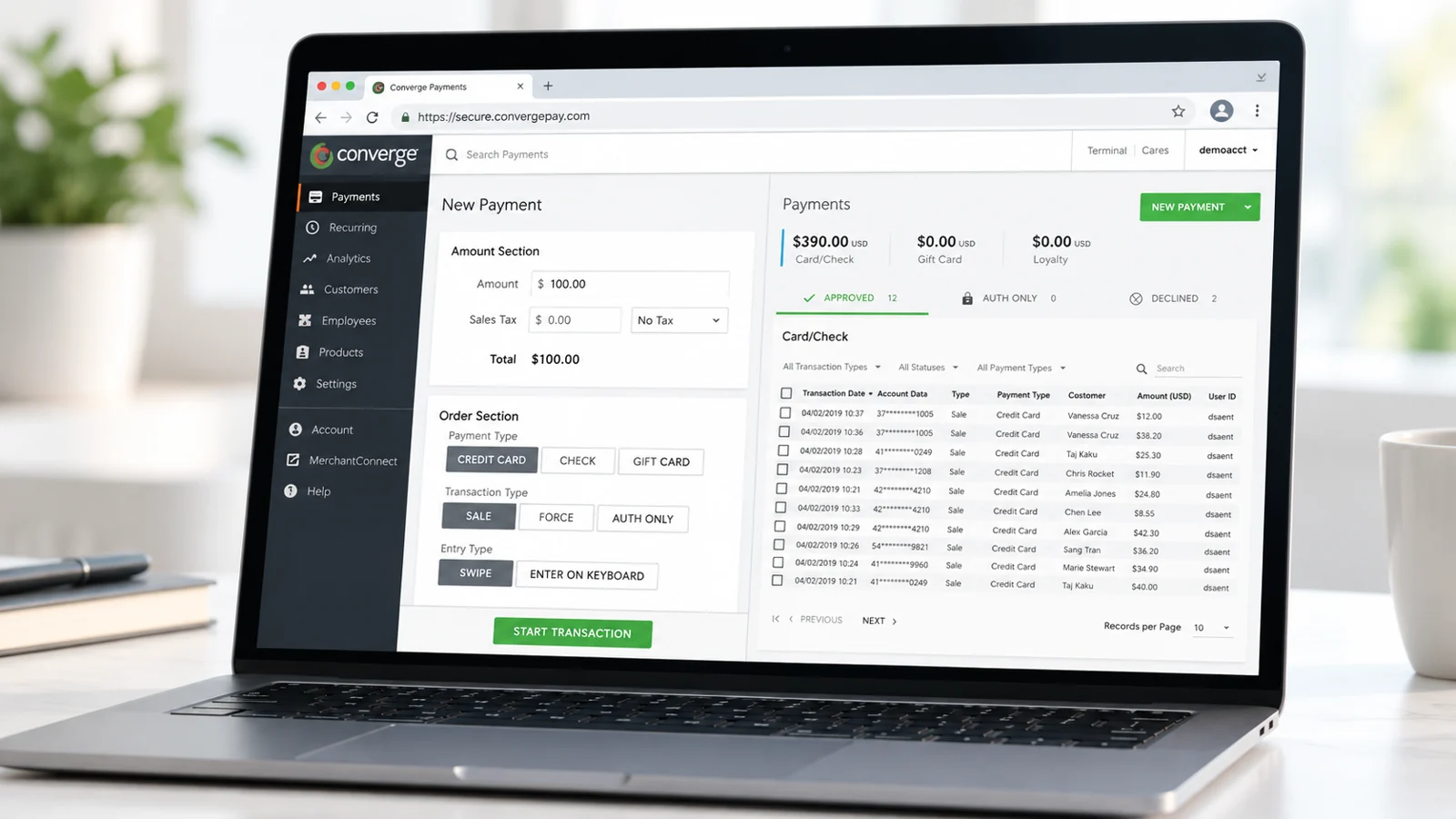
Enter the payment and review transaction records in the same browser-based workspace. View the full-size interface.
A clear path from phone call to payment
Keep the collection process moving while the customer is still on the line. Your team can take payment, provide a receipt and find the record later.
01
Enter the payment
Sign in to your account, enter the amount and add the customer’s payment details in the secure interface.
02
Get an authorization
Submit the transaction and see the approval or decline. An authorization confirms the payment decision; it is separate from funding.
03
Send the receipt
Email a branded receipt and keep the transaction record available for your team.
04
Receive your funds
Approved payments follow your account’s settlement schedule and are deposited into your business bank account.
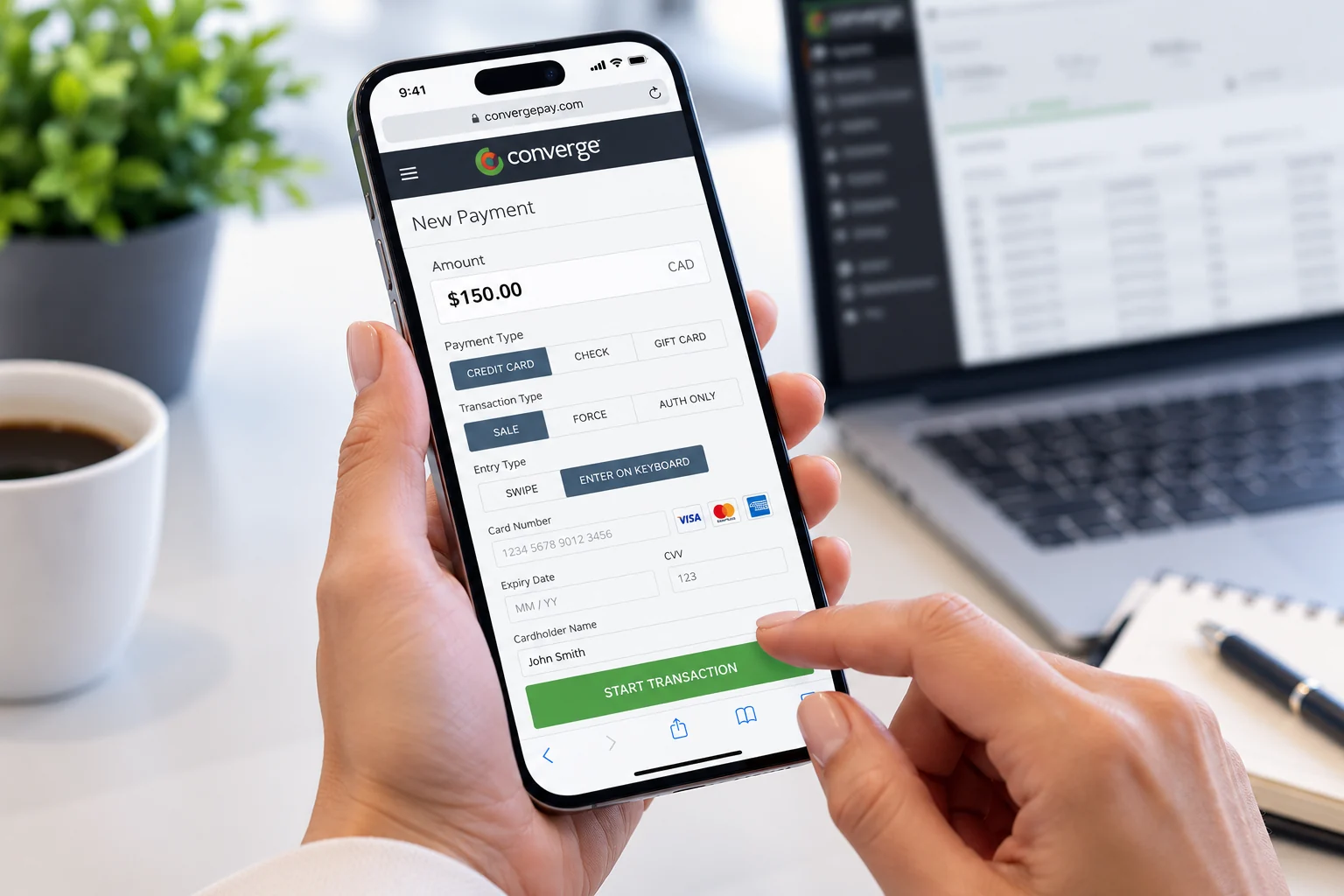
DESKTOP, TABLET OR PHONE
Your payment desk can move with you.
Log in through a browser on the device you have with you. Take a remote payment at your desk, confirm a reservation on a laptop or collect a customer’s payment while working away from the office.
There is no extra countertop terminal to purchase for browser-based payment entry. Clearly helps set up your account and show your team how to use it.
Taking payments with the customer and card in front of you? Explore mobile payment devices for chip and contactless acceptance.
BUILT AROUND THE WAY YOU COLLECT
Close the distance between the customer and the payment.
Not every sale happens at a till or in an online basket. A virtual terminal gives your team a practical way to collect when the conversation happens by phone or the customer has already left.
Phone orders without a checkout link
Take the order and payment in one conversation. A virtual terminal suits mail and telephone orders when a staff member is handling the transaction.
Deposits and reservations
Collect an agreed deposit, reserve a booking or process a balance when the customer is elsewhere. Useful for hospitality and travel and entertainment teams.
Professional and patient payments
Let clients pay by phone after an appointment, consultation or completed job. Connect remote collection to professional services and healthcare workflows.
Back-office collections
Give an authorized team member a direct way to collect an outstanding balance and locate the payment record, without using the front counter’s card machine.
Taking the payment is only the beginning.
A useful virtual terminal also makes the work after the transaction easier. Keep receipts, repeat payments and day-to-day account activity together.
Find the payment when you need it
Review payment records, search transaction activity and export reports for reconciliation. Spend less time matching a customer’s question to a bank deposit.
Give every customer a proper receipt
Customize receipt colours, logo and layout. Email the receipt to your customer and share it with your finance team for a clearer audit trail. Clearly can also connect your existing receipt builder.
Handle changes after the sale
Process authorizations and refunds through your payment workspace. Void an eligible transaction before settlement or refund a settled payment without starting a separate manual process.
Make repeat payments easier
Use tokenized customer payment profiles for authorized card-on-file payments. Set up recurring billing and instalments when the customer agrees to an ongoing schedule.
Give staff the right access
Add employees and assign access rights for their work. Separate everyday payment entry from the account settings and management functions your administrators control.
CONFIDENCE AT THE POINT OF PAYMENT
Keep card details in the payment system.
Secure browser entry and tokenized payment profiles help your team take repeat payments without keeping card numbers in emails, spreadsheets or customer notes.
A token instead of a stored card number
Tokenization replaces card details with a reference used for future authorized payments. Customer payment profiles stay within the protected payment environment.
Control who can do what
Assign staff access rights and use the payment system’s address and card-security-code checks to help assess card-not-present transactions.
PCI support with practical setup help
Clearly helps manage PCI compliance and configure your payment workflow. Your team uses secure devices and handles customer information carefully. Card security codes are never retained after authorization.
The right tool depends on who is entering the payment.
Use a virtual terminal for staff-entered payments. Add other Clearly products when customers should pay themselves or when your business needs a full invoicing workflow.
STAFF ENTERS THE PAYMENT
Virtual Terminal
Phone orders, remote collections and back-office payment entry.
You take the payment through a browser while handling the customer’s request.
CUSTOMER USES THEIR CARD OR WALLET
Payment terminal
At-counter and face-to-face chip or contactless payments.
Use a physical device when the customer and card are present.
CUSTOMER ENTERS THEIR OWN DETAILS
Hosted payment page
Payment links, website payment forms and remote self-service.
Send customers to a secure online form rather than keying the payment yourself.
CUSTOMER PAYS AN INVOICE ONLINE
Invoicing
Quotes, invoices, outstanding balances and payment follow-up.
Create and send the payment request, then keep the invoice and payment status connected.
KEEP YOUR PAYMENT WORK CONNECTED
Start in the browser. Connect more as you grow.
You do not need a development project to begin using Virtual Terminal. Staff can log in and take payments through the hosted interface.
When your workflow needs more, Clearly can connect payments with business software and support custom gateway/API integrations. Bring us your accounting, CRM or application requirements so the connection fits how your team works.
A connected payment setup
Explore payment integrations for existing software connections, or see our Software & SaaS payment solutions for custom applications. Use transaction reporting to support reconciliation and a clearer view of collections.
Your merchant account provides the processing and funding foundation. The virtual terminal is the browser interface your staff uses to accept the payment.
CLEAR COSTS. PRACTICAL SUPPORT.
A simpler way to collect. Pricing you can understand.
Use a device you already own instead of buying a card machine for remote payments. Your quote explains processing rates and any account or platform charges for your setup.
Keyed card-not-present transactions can have different underlying costs from chip and tap payments. With Cost Plus pricing, interchange and network costs are separated from Clearly’s disclosed markup.
Already processing? We can review your processing statement and show where your costs come from before you switch.
Get a Virtual Terminal QuoteSame-day or next-day funding
Eligible merchant accounts can receive same-day or next-day funding directly into their business bank account. Your deposit schedule depends on your account, processing cut-off and banking days. Keep your existing business bank account, with Canadian-dollar or U.S.-dollar settlement configured for your account.
Real people, 24/7 payment support
Get help with setup, employee access, receipts, reporting and transaction questions. Clearly helps your team use the system confidently, with support when a payment needs attention.
Need occasional in-person entry? An optional compatible USB swiper is available. For regular face-to-face checkout, compare EMV and contactless terminals.
Questions before you get started?
What is a virtual terminal?
A virtual terminal is a secure browser-based interface that lets a business enter a customer’s card details and submit a payment. It is commonly used for phone orders, remote services and back-office collections.
How does a virtual terminal work?
An authorized staff member logs in, enters the payment amount and card details, and submits the transaction. The system returns an approval or decline, stores the transaction record and lets your team send a receipt. Approved payments follow your account’s settlement and funding schedule.
Can I take credit card payments over the phone?
Yes. While speaking with the customer, an authorized staff member can enter the payment into the secure interface. It is a practical way to collect for a service, phone order, reservation or outstanding balance.
Can I use a virtual terminal on my phone or tablet?
Yes. The browser-based interface can be used on desktop computers, laptops, tablets and mobile devices with internet access. For in-person chip or tap payments, choose a compatible mobile payment device instead.
Do I need a card machine or special hardware?
No physical card terminal is required for browser-based keyed payments. Use a device you already own with internet access and your approved payment account. A compatible USB swiper is an optional addition for suitable in-person workflows.
Are virtual terminal payments secure?
Secure browser entry, tokenized payment profiles and staff access controls help protect payment information. Clearly provides PCI compliance support and setup guidance. Staff should enter payment details directly into the payment system and never retain card security codes after authorization.
How is a virtual terminal different from a payment link?
With a virtual terminal, your staff enters the transaction. With a payment link or hosted payment page, the customer opens a secure online form and enters their own payment details. The best choice depends on who should handle the payment entry.
Can I set up recurring payments or instalments?
Yes. Use authorized customer payment profiles to schedule recurring billing or instalment payments. Clearly helps configure the schedule and payment setup for the way your business collects.
How much does virtual terminal payment processing cost?
Costs depend on your processing volume, card mix and account or platform setup. Keyed remote transactions can carry different underlying costs from card-present payments. Clearly provides a quote with the processing rate, disclosed markup and applicable charges.
How quickly do I receive the funds?
Same-day or next-day funding is available on eligible merchant accounts. The timing for your account depends on processing cut-offs, settlement and banking days. Clearly explains your funding schedule during setup.
Take the next payment wherever business happens.
Tell us how you collect today. We will help configure your virtual terminal, explain your pricing and get your team ready for remote payments.