
Retail counters
Keep card acceptance and printed receipts together at a shop checkout or service counter.
Countertop payment terminal
Keep payment acceptance at the counter. The Ingenico Desk 5000 combines a touchscreen, physical keypad and receipt printer for retail checkouts, reception desks and other fixed payment locations.
Available through Clearly Payments.
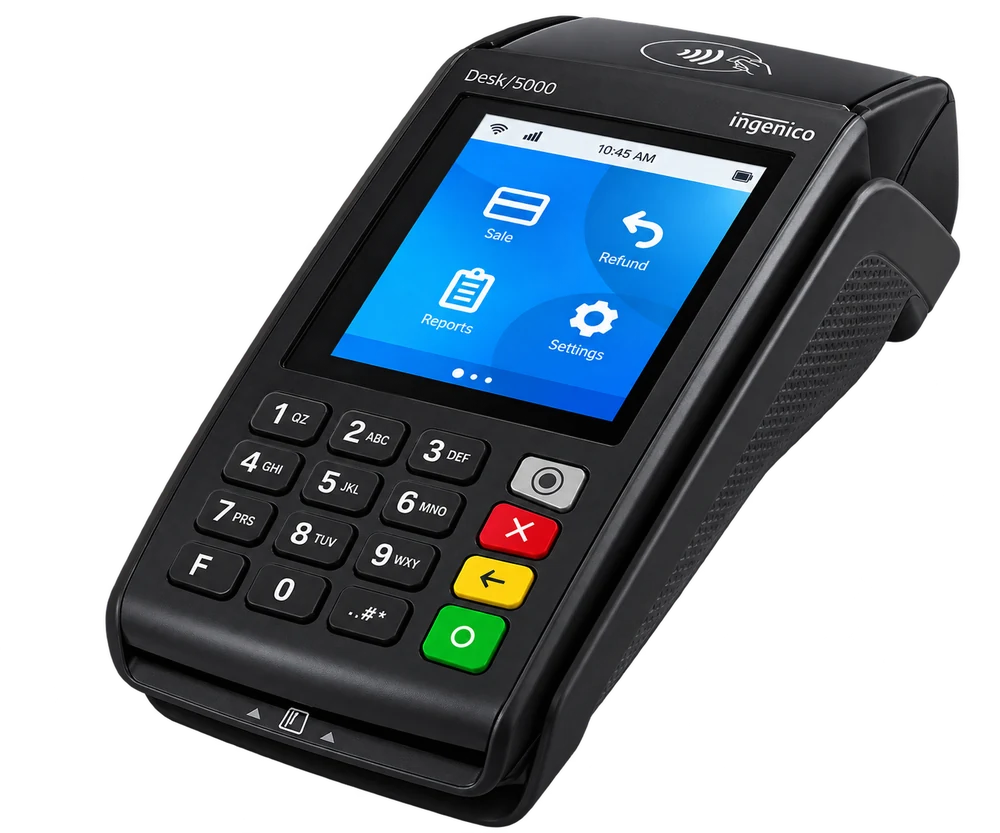
Fixed checkoutPowered countertop terminal
Built-in printerPrinted receipts at the counter
3.5-inch screenTouchscreen and physical keypad
The Ingenico Desk/5000 is a credit and debit card machine for a fixed place of payment. Staff enter the transaction on the terminal or use a supported connected checkout, and customers tap, insert or swipe as enabled. Its printer keeps the payment receipt with the device.
Choose a countertop terminal when customers come to one checkout and mains power is readily available. If staff need to take the reader to a table, vehicle or customer elsewhere, compare a portable terminal instead.
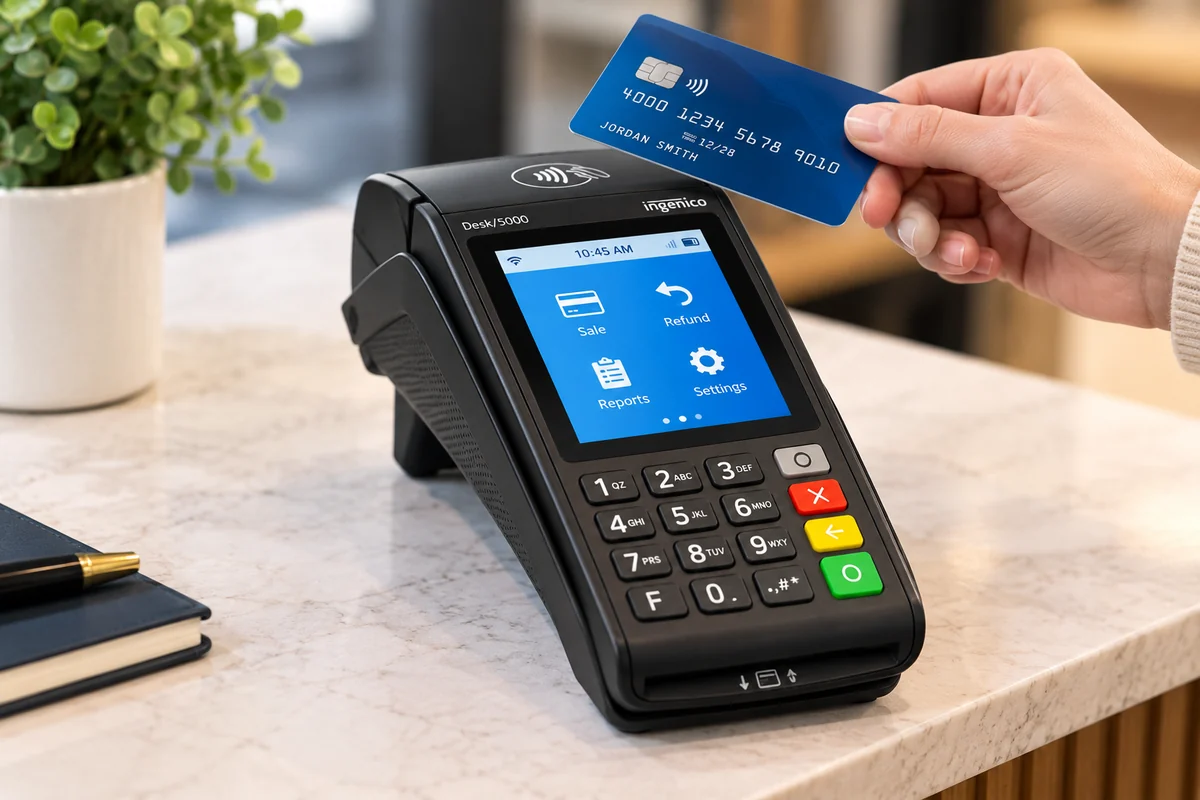
Keep card acceptance and printed receipts together at a shop checkout or service counter.
Take payment at a clinic, professional office or reception desk without handing a personal phone to the customer.
Support a staffed counter or quick-service payment point. For payment at the table, consider a wireless handheld.
Chip, contactless and magnetic-stripe readers support familiar checkout methods. The methods enabled for your business depend on the merchant account, country and payment application.
Use the chip reader for supported EMV card transactions and the physical keypad for PIN entry when required.
Accept enabled contactless cards and compatible mobile wallets, including Apple Pay and Google Pay where supported.
Keyed entry, tips, clerk reporting and alternative or QR payments need the appropriate permissions and software. Confirm them before choosing equipment.
Read more about contactless payments.
Ethernet is a wired connection option, not a universal requirement across the Desk 5000 family. Ingenico’s Canada/U.S. datasheet describes Ethernet and a dial-up modem; its broader product documentation also lists Wi-Fi, Bluetooth and cellular variants. Choose the connection hardware your checkout needs.
Confirm the exact communications hardware and enabled application before ordering. Wi-Fi needs a suitable network; Bluetooth requires a supported pairing or base arrangement; cellular needs the appropriate hardware, active service and coverage. Legacy modem or mobile-network capability is not a reason to rely on a retired carrier service.
The integrated thermal printer is rated at 20 lines per second in Ingenico’s Canada/U.S. datasheet. It takes 58 mm-wide paper with a documented roll diameter of 40 mm. Order paper by width and maximum roll diameter rather than assuming every 60-foot roll fits.
Leave room for the paper compartment and cable connections. Position the reader so customers can comfortably reach the screen and keypad, with appropriate privacy for PIN entry.
Specifications are based on Ingenico documentation. Your quote identifies the regional model and optional equipment.
Hardware reference: Ingenico Desk 5000 product documentation.
The following accessories are optional. Clearly Payments can help select compatible equipment for your terminal.
Ask about a compatible Desk 5000 stand for a customer-facing position. Confirm the mounting plate, swivel range, cable route and counter fixing; a stand is optional equipment.
Ingenico identifies the Desk/1600 as a compatible companion in its current product documentation. Confirm that the chosen payment application supports the proposed connection.
Optional privacy shield and stylus, the correct power supply, supported connection cables or Magic Box, and replacement receipt paper should be scoped in the quote.
Choose the device that fits where you take payments and the tools your staff need.
Best fit: Fixed-counter payment
Power: External mains power
Workflow: Dedicated TETRA terminal; integrated printer
Explore Desk 5000 →Best fit: Payments brought to the customer
Power: Rechargeable battery; charging plan needed
Workflow: Portable TETRA terminal; integrated printer
Explore Move 5000 →Best fit: Portable smart-terminal workflow
Power: Rechargeable handheld
Workflow: Android platform; selling tools depend on supported software
Explore AXIUM DX8000 →Clearly Payments can help match the terminal to your merchant account and checkout. Share your country, POS software, payment locations, connection needs and expected workflow.
Request a quote that separates hardware, processing, software or integration, cellular service and optional accessories. Your quote identifies the included equipment and services.
Not every configuration does. Ethernet is a common fixed-counter choice, while Ingenico documents wireless variants as well. Clearly Payments will confirm what the quoted device and payment application support.
The hardware has chip, contactless and magnetic-stripe readers. Enabled card brands, domestic debit schemes and compatible wallets such as Apple Pay or Google Pay depend on the merchant account, country and application.
A supported connection may be possible, but a cable alone does not establish compatibility. Share your POS name, software version and intended workflow so Clearly Payments can verify a supported standalone or integrated setup.
Yes. Its integrated thermal printer uses 58 mm-wide paper. The documented North American roll size is 40 mm in diameter; check the actual equipment before ordering supplies.
It is designed for fixed checkout with external power. A portable Move 5000 or an Android smart terminal is usually a more suitable form factor when staff need to carry the reader.
Request a current quote for the device, processing arrangement and optional equipment. Confirm any software, connection or service charges and the applicable funding schedule; funding follows your merchant-account schedule.
Review retail, restaurant and hospitality or professional-service payment workflows.
Clearly Payments
Tell us where you take payments and what your checkout needs. We’ll help confirm the equipment, connections and payment arrangement.