
INVOICING
Email invoicing and quoting get you paid faster and easier
Send branded invoices by email, give customers a secure way to pay online and see what’s paid. Clearly Payments combines invoicing, automatic follow-up and low-cost payment processing so less of your day goes into collecting money.
Get a QuoteNo long-term contracts. No cancellation fees.
From invoice sent to payment received
Online invoice payment processing connects the bill you send with the payment you collect. Start with the built-in invoicing tools, or connect payment collection to a system your business already uses.
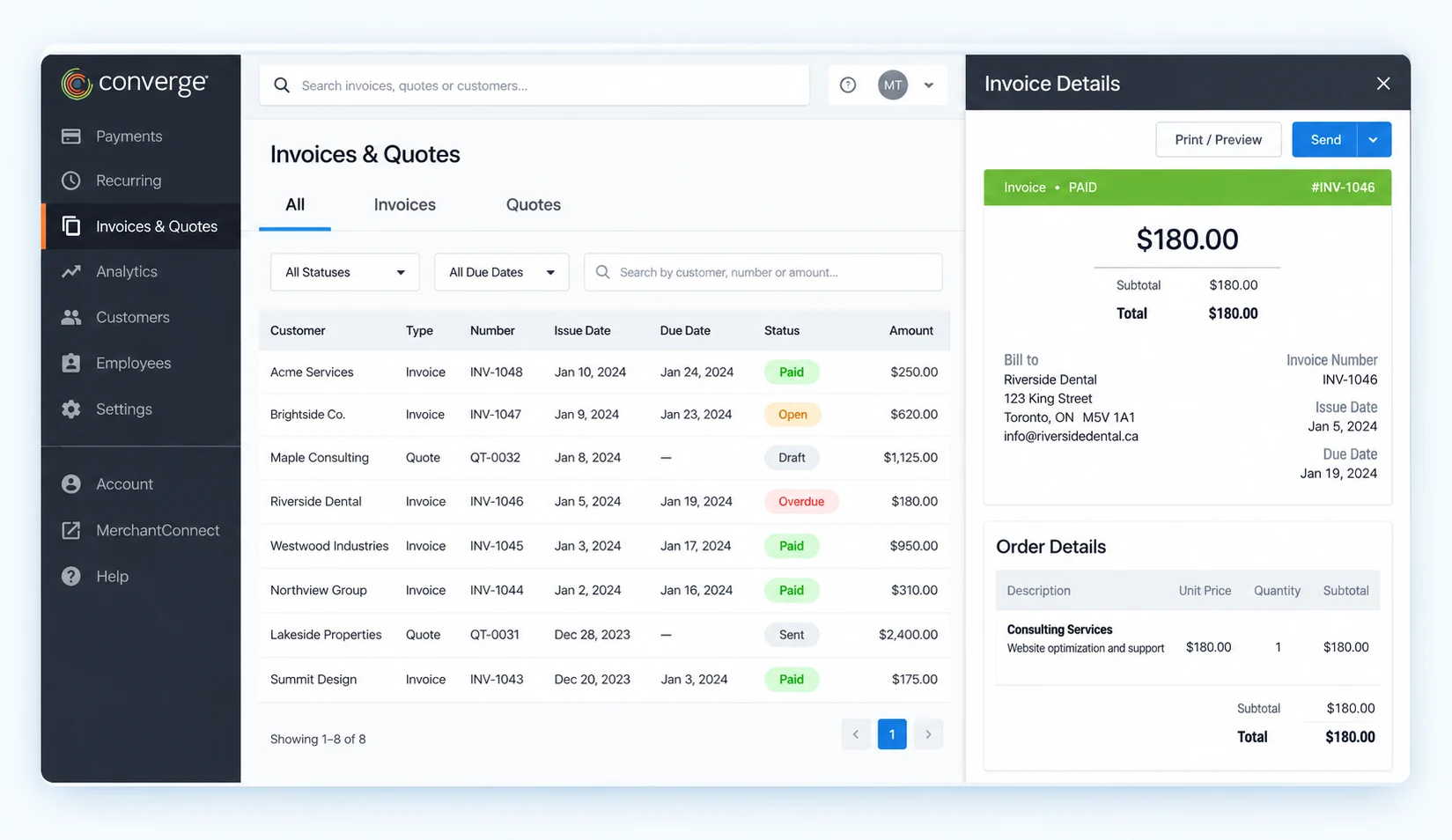
Invoice and quote statuses alongside an invoice detail view. View the full invoicing screen.
1. Create or quote
Build the invoice for your customer and the work or products you’re billing for. Send a quote first when you need the customer to approve the job.
2. Send by email
Issue the invoice with a clear amount and payment request. Your customer receives an email that brings the bill and the route to pay together.
3. Customer pays online
The customer follows the payment link to a secure hosted page and enters their card details. They can pay remotely without calling your team.
4. Confirm the payment
The transaction is sent for authorization and the result is recorded. Check the payment status and provide the customer with a receipt or confirmation.
5. Keep the records together
Review paid and unpaid invoices alongside the relevant payment records. Use invoice references and transaction reporting to support your accounting work.
6. Receive your funds
Approved payments move through settlement to your business bank account. Get same-day or next-day funding with eligible merchant accounts.
Make the invoice easier to send and easier to pay
Send a professional invoice without a development project
Create, send and track email invoices and quotes from a web-based platform. Brand your invoice and payment experience with your logo and colours, so the request feels like part of your business.
Quote the work before it starts, then move the customer into the payment workflow. Keep the amount, customer and invoice reference clear instead of relying on a separate email asking how to pay.
Give customers a direct route to pay
Customers open the email invoice and follow its payment button or link to a secure, mobile-friendly payment page. They enter their card details there, rather than sending them to your team by email.
Accept online credit card payments through your configured merchant account. If a customer prefers to pay over the phone, your team can enter the payment through the Virtual Terminal.
Hosted payment entry keeps raw card details away from your website. Clearly helps configure the payment flow and the PCI compliance requirements that go with it. See how the Hosted Payment Page works.
Spend less time chasing unpaid invoices
Track your invoices in real time and follow up automatically. Automatic email reminders bring overdue invoices back to the customer’s attention, reducing the phone calls and one-off emails your team has to send.
See who has paid and who hasn’t. Filter paid and unpaid invoices, resend a request, stop an invoice or take a payment manually when you need to help a customer complete it.
Know which invoice needs attention
Awaiting payment
Find the invoices still waiting for a customer response.
Follow-up due
Use reminder emails and the unpaid-invoice view to keep collection moving.
Payment received
Check the result and keep the invoice and payment record together.
See the payment, then reconcile the deposit
Built-in reporting gives your team a clearer collection picture. Connect the invoice, the transaction and the settlement record so finance can follow what happened after the customer paid.
Start with the invoice
Use paid and unpaid invoice views to see what you have collected and what is still outstanding. An invoice’s payment status answers a different question from whether its funds have reached the bank.
Follow the transaction
Use payment records, invoice references and receipt details to investigate a customer query, review a payment or handle a refund through your payment tools.
Match the deposit
Review settlement reporting to connect processed payments with deposits. Account for refunds, fees and timing differences rather than treating an approval message as a completed bank deposit.
For accounting-system updates and invoice matching, use the connection designed for your software. The connector or API integration determines which records sync and which reconciliation steps remain with your team.
Connect invoicing to your existing systems
Keep payment collection close to the software your business runs on. Clearly supports accounting connections and payment API integrations for businesses that need more than a standalone invoicing screen.
Your business system
An invoice, customer record or amount starts in your accounting software, ERP, CRM, portal or application.
Payment collection
A configured integration connects that reference to hosted payment entry or the payment API.
Results back to your team
Payment responses, transaction lookups and reporting support status updates and reconciliation.
Connect payment collection to a customer portal or custom application, carry invoice references into the transaction and retrieve payment results. Hosted payment pages, transaction-status queries, tokenized stored-card payments and refund operations provide building blocks for a connected workflow. Clearly maps the payment product and integration to your system.
Explore the QuickBooks payment connection and integration directory. For a custom product or platform, see Software & SaaS payments or payment integration options.
Discuss Your Invoicing SetupBuilt for work that gets billed after the sale
Professional firms
Send an invoice for consulting, accounting, agency or other client work and let the customer pay online. Keep the payment request with the job instead of collecting card details through email.
Trades and project work
Send a quote before work begins and invoices for agreed deposits, milestones or final balances. Match the payment request to the stage of the job so the customer knows what they are paying for.
B2B and service teams
Give customers a payment route after delivery or service. Track outstanding invoices and bring payment records into the accounting process, without turning every collection into another phone call.
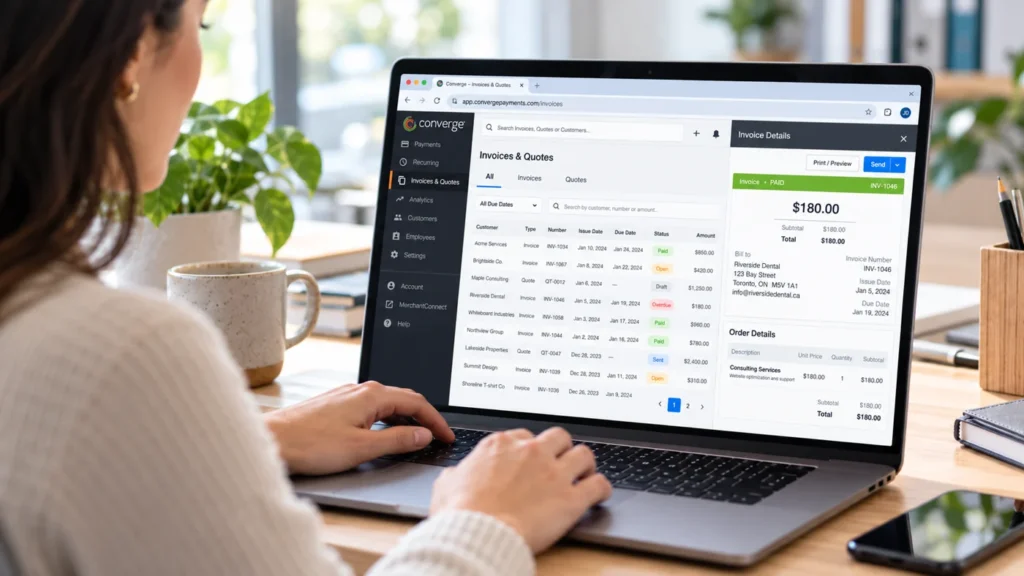
See how professional-services payments brings invoices, remote collection and repeat-client payments together.
Lower your invoice payment processing costs
Already paying a flat 2.9% to collect invoice payments? Ask Clearly to review your statement and transaction mix. Get transparent processing pricing and a quote that explains the full invoicing setup.
Payment processing and your merchant account
Invoice card payments need a merchant account and incur transaction fees. Compare Cost Plus pricing with Membership pricing for Canadian businesses to find the right commercial fit.
Software, setup and integration
Your quote separates processing from any invoicing or gateway fees, setup work and integration costs. Card and bank-payment arrangements can have different charges. An API connection or accounting connector can also change the implementation required.
Use a payment-cost analysis to compare the total cost, not just the headline rate.
An invoicing setup with people behind it
Get started without writing code.
Clearly helps configure your account, branded payment flow and invoice process. For a connected system, we help plan the integration and reporting handoff.
Put collected revenue to work sooner.
Get same-day or next-day funding with eligible merchant accounts. Your account, transaction timing and banking arrangements determine the schedule.
Get help with the payment, not just the software.
Reach Clearly’s 24/7 payment support for payment issues, setup questions and help understanding the transaction or deposit.
Keep control of the commercial relationship.
No long-term contracts or cancellation fees, with processing costs explained before you commit.
Use the collection tool that fits the job
Choose invoicing when you need to send a customer a bill, track it and follow up. Add the other payment tools when the way you collect calls for them.
Staff take a payment
Use a Virtual Terminal when your team enters a customer’s card payment by phone or another remote channel. This is different from the customer opening an invoice and paying it themselves.
Send a payment link
Use a payment link or Hosted Payment Page for a simple online collection form, such as a balance or payment request that does not need the full invoice lifecycle.
Collect on a schedule
Use Recurring Payments when the customer authorizes repeated charges. A scheduled charge and a reminder to pay an individual invoice are different collection methods.
Invoicing and online payment questions
Can customers pay an invoice by credit card?
Yes. Send the invoice by email and the customer follows the payment link to enter their card details on a secure hosted payment page. Clearly configures the card acceptance for your merchant account. The result is recorded so your team can track the invoice and payment.
Can customers pay by bank transfer, EFT or ACH?
Online card payments are the standard invoicing route described here. For bank payments, ask Clearly to match your Canadian EFT or U.S. ACH collection requirements to the appropriate payment and integration setup. We will confirm the customer payment experience, availability and fees before you choose the solution.
Can I send automatic invoice reminders?
Yes. Automatic email reminders are part of Clearly’s invoicing workflow. Use the paid and unpaid invoice views to see what needs attention, then resend or stop an invoice when necessary. Automated follow-up reduces routine chasing while leaving your team in control of customer conversations.
Do I need a merchant account?
Yes, accepting invoice card payments requires a merchant account and payment processing. Clearly can arrange the account and invoicing setup together, explain the applicable processing and software fees, and configure the payment methods and funding schedule for your business.
Can I send invoices from a phone or tablet?
Mobile invoicing options are available through configured mobile payment applications, including Converge Mobile. The invoicing feature must be enabled for the account. Tell Clearly which devices your team uses so the app, user access and invoice workflow are configured together.
Can invoicing connect to my accounting software?
Yes. Clearly offers accounting-payment connections, including QuickBooks, and integration paths for other business systems. The specific connector determines what happens to invoice, customer and transaction records. We confirm the record flow and reconciliation steps rather than assuming that every accounting system updates in the same way.
Are APIs available for invoice and payment workflows?
Yes. Payment APIs and hosted payment tools can connect collection to an existing application or customer portal. Transaction references, payment responses, status lookups, stored-payment functions and refunds can support the wider workflow. Clearly helps identify the right payment product, integration method, test access and implementation requirements.
How quickly do invoice payments reach my bank account?
Get same-day or next-day funding with eligible merchant accounts. Payment authorization, settlement and the bank deposit are separate stages, so a paid invoice does not mean the deposit has already arrived. Clearly explains your funding schedule and reporting during setup.
Make it easier to get paid for the work you do
Tell us how you invoice today, what your customers need to pay and which software you use. Clearly will help you choose the invoicing and payment setup, explain the costs and plan the next step.
Get an Invoicing QuoteOr call 1-800-818-1402.