
POINT OF SALE + PAYMENTS
Point of sale systems that fit how your business runs
Clearly Payments helps you choose and configure a POS system around your checkout, your team and the way you take payments.
Connect the right software, hardware and payment processing. Add inventory, orders, staff tools and reporting where your chosen setup supports them.
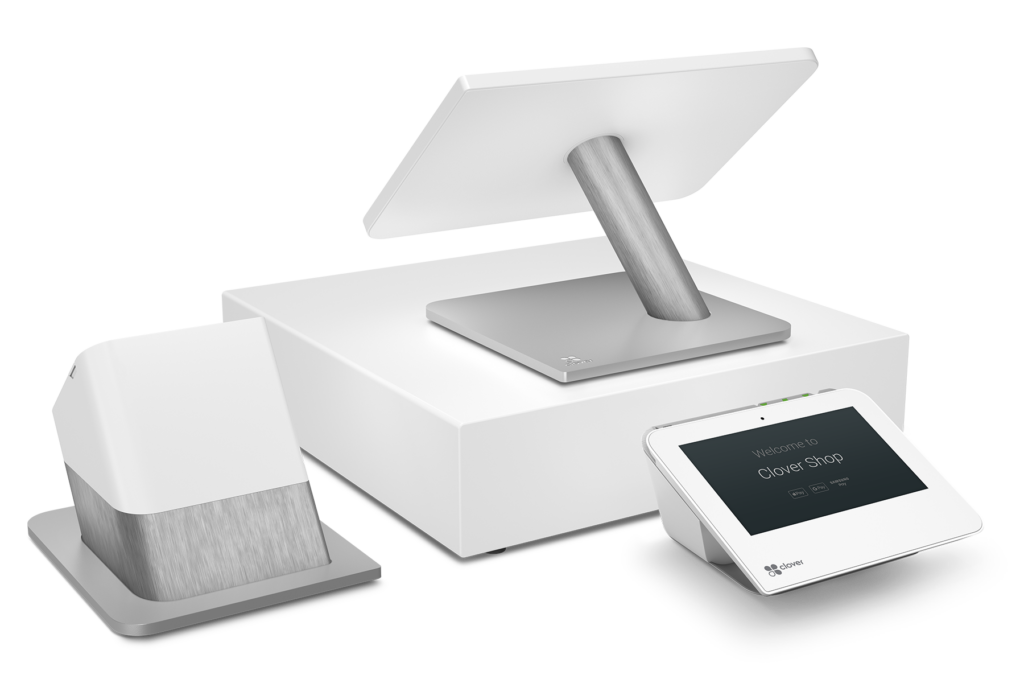
CLOVER · UNITED STATES ONLY
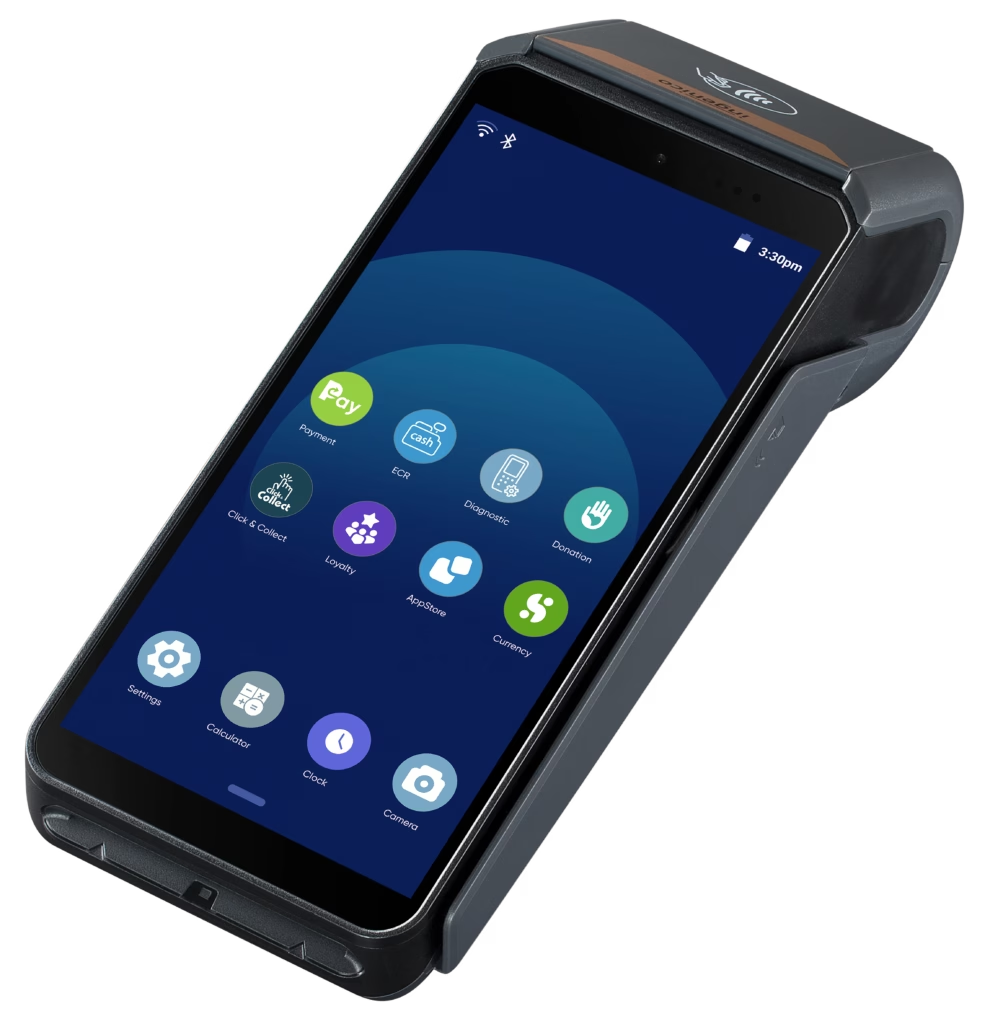
TALECH · CANADA & U.S.
Countertop Clover Station Duo and AXIUM DX8000 with talech. Your software plan and country determine the final configuration.
Choose a POS around the work you do.
01
Retail
Start with products, stock, barcode checkout and returns.
02
Restaurants
Plan menus, modifiers, table or counter service and tipping.
03
Service businesses
Consider appointments, staff access and customer history.
04
Flexible checkout
Choose handheld payments or a counter setup around where customers pay.
TWO POS PATHS. DIFFERENT CONFIGURATIONS.
Compare the systems Clearly supports.
Start with geography and workflow. Then choose the software plan, payment connection and hardware together.
CANADA & UNITED STATES
talech
A configurable POS range for retail, restaurants and service businesses.
Choose the operational tools
Review inventory, order management and reporting. Staff hours, low-stock alerts, appointments and other tools depend on the plan.
Counter or handheld
Choose a register setup or an AXIUM DX8000 smart terminal with talech. The entry-level Terminal software is not the same as the full Register feature set.
Software and payments together
Match the POS software, supported payment device and merchant account before deployment.
UNITED STATES ONLY
Clover
An integrated hardware and software ecosystem for U.S. retail, restaurant and service businesses.
Build around your software plan
Choose tools for stock, orders, staff permissions, customers and sales reports. Some functions require specific plans or apps.
Countertop or on the move
Consider Station Duo, Station Solo or Mini for the counter, and Flex or Flex Pocket for handheld checkout. Other Clover configurations are available.
A configured processing relationship
Clearly supplies Clover through its U.S. processing relationship. We do not offer Clover in Canada.
Features, accessories, connectivity and pricing vary by plan, country and configuration. We confirm the exact setup in your quote.
Match the features to your working day.
Retail: connect the item to the sale
Clover and talech offer inventory and sales tools on supported plans. Review product variants, barcode workflows, returns and stock alerts before choosing your configuration.
Restaurants: keep the order and payment together
Review menu modifiers, split checks, tipping and table or counter workflows. Tableside ordering and payment require the appropriate restaurant software and compatible hardware.
For service businesses, review customer records, appointment scheduling and staff tools with the selected platform and plan.
THE PAYMENT CONNECTION MATTERS
Keep the sale and the payment connected.
With a supported integrated or semi-integrated setup, staff send the amount to the payment device and the result returns to the POS. That can reduce rekeying and make sales and payment records easier to reconcile.
01
POS
Starts the sale and sends the amount
02
Payment device
Customer completes payment
03
Processor / acquirer
Routes the request to the card network and issuer
04
Approval or decline
Returns through the payment connection
05
Back to the POS
Updates the sale with the payment result
Simplified authorization flow. Approval is not a bank deposit. Integration architecture, card-data handling and funding depend on the chosen POS, payment application and merchant account.
ALREADY HAVE A POS?
Keep the system that works for your business.
Bring your POS name, version, country and current payment hardware. We can check whether a supported terminal connection, semi-integrated route or middleware can connect it to Clearly.
Check compatibility before changing systems.
Our integration range includes environments such as NCR Voyix and Tender Retail. Compatibility depends on the specific product, version and payment connection.
A POS system or a payment terminal?
PAYMENT TERMINAL
When you mainly need to take a payment.
A terminal handles payment acceptance at a fixed or portable checkout. It may be enough when you do not need a broader inventory, order or staff system.
POINT OF SALE SYSTEM
When checkout is part of running the operation.
A POS adds sales and operational software to payment acceptance. Choose the tools for inventory, orders, staff and reports that your business needs.
Clover Station Duo. Available through Clearly in the United States only.
BUILD THE RIGHT CHECKOUT
Choose the hardware around the job.
At the counter
Consider a merchant screen, optional customer-facing display, receipt printer, barcode scanner and cash drawer. Accessory compatibility depends on the POS bundle.
Away from the counter
Clover Flex or Flex Pocket can support a U.S. handheld setup. AXIUM DX8000 with talech provides a smart-terminal option in Canada and the U.S.
Check the software, too
A handheld device does not automatically include every register feature. Confirm the product list, staff and restaurant functions before ordering.
WHY CLEARLY PAYMENTS
Choose the system. Configure the payments. Test the workflow.
Start with your operation
We review how orders are entered, where customers pay, who uses the system and what your team needs to report on.
Match the payment connection
Review the merchant account, supported hardware and POS connection together, including the costs and funding schedule.
Plan the move into service
Clearly helps with setup and payment configuration. Agree on the installation scope, test sales and refunds, and establish the support path before going live.
Compare the complete cost: software, hardware, payment processing, connectivity and any optional apps. Your quote should distinguish each part.
BUYER QUESTIONS
Make the POS decision with the details in view.
Which POS systems does Clearly Payments offer?
Clearly offers talech for Canadian and U.S. businesses, and Clover for U.S. businesses. We also review supported payment connections for merchants who want to keep an existing POS.
Does Clearly offer Clover in Canada?
No. Clearly Payments currently offers Clover in the United States only. For a Canadian business, ask about talech or a supported connection for your existing POS.
Does Clearly offer Clover in the U.S.?
Yes. Clearly supplies Clover devices and supported software configurations for U.S. businesses through its U.S. processing relationship.
What is the difference between a POS and a payment terminal?
A payment terminal primarily accepts payments. A POS combines checkout with broader tools such as inventory, orders, staff permissions and reporting, depending on the software plan.
Which POS is right for a restaurant or retail store?
Start with the workflow and country. Retail businesses should review inventory, barcodes and returns. Restaurants should review menus, modifiers, tipping and table or counter service. We compare supported Clover and talech configurations against those needs.
Can I keep my current POS and use Clearly for payments?
Possibly. We need the POS product and version, country and current payment hardware to check a supported integration route. Compatibility is confirmed before a switch.
Can a POS connect directly to a payment terminal?
Supported integrated or semi-integrated connections can send the amount to a payment device and return the result to the POS. The device, payment application and software connection must work together.
Do inventory and employee tools come with every POS?
No. Features differ across plans and platforms. Entry-level smart-terminal software does not include every feature of a full register system. Confirm your inventory, staff and reporting requirements in the quote.
Can I use a mobile POS?
Yes, with the right configuration. Clover Flex and Flex Pocket offer handheld workflows for U.S. businesses. AXIUM DX8000 with talech is another portable option. Connectivity and included software features need to be checked for the setup.
How much does a POS system cost?
The total depends on software, devices, accessories, processing, connectivity and optional apps. Request a quote for the complete configuration rather than comparing device prices alone.
Does Clearly install or configure the POS?
Clearly helps plan the POS and configure the payment side. We agree on hardware setup, software configuration, testing and any on-site installation requirements for your project.
When are POS payments deposited?
Funding follows your merchant-account schedule, transaction timing and banking arrangements. Choosing a POS system does not guarantee a universal deposit time.
Tell us how your business runs.
Bring your workflow, country and current setup. We’ll help you choose the POS and payment configuration that fits.