
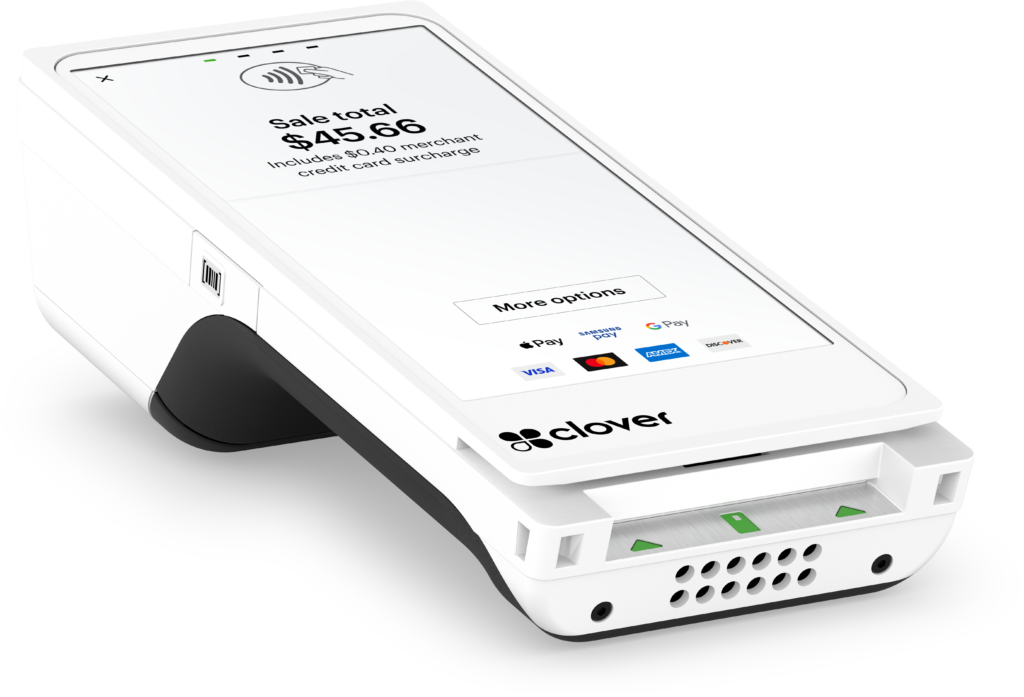
Handheld checkout
Clover Flex 4
Take payment to the table, the shop floor or a customer away from your counter. Flex 4 combines a touchscreen, receipt printer and barcode scanning in one handheld device.
5.99-inch screen · Wi-Fi / LTE
Clover POS · U.S. businesses
Find the right checkout for the way you sell. Compare handheld Flex, compact Mini and dual-screen Station Duo systems, available through Clearly Payments in the U.S.
Clover is currently available through Clearly Payments to U.S. businesses only. We do not currently offer Clover in Canada.
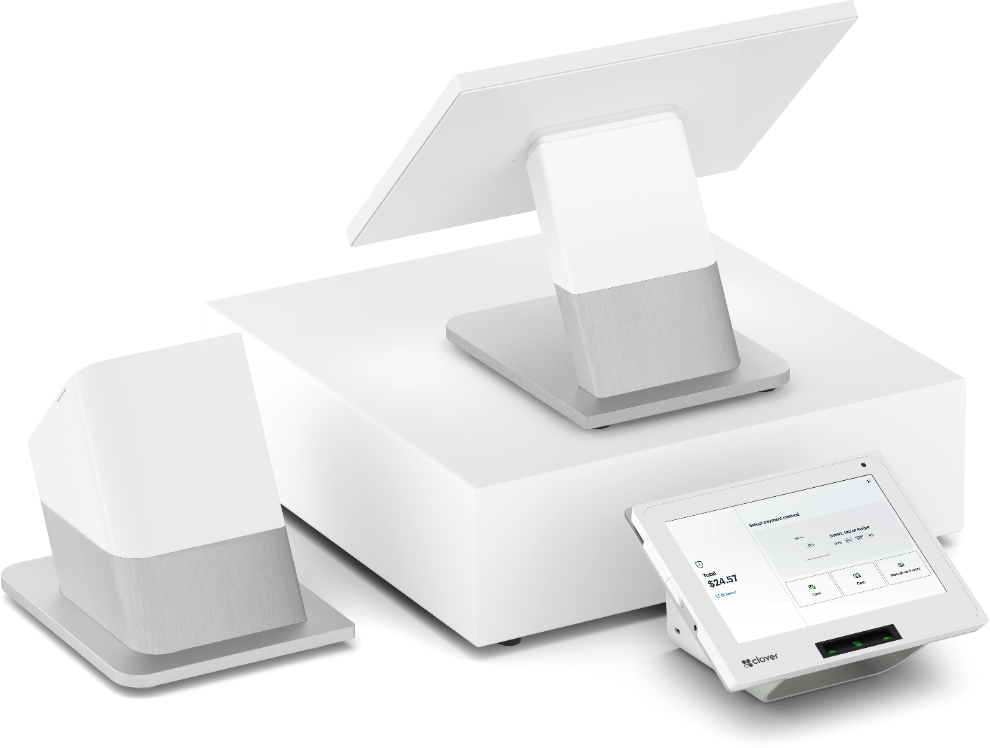
Clover at a glance
Clover brings payment devices and POS software together. Depending on your plan and apps, your setup can support item management, restaurant ordering, sales reporting and staff tools as well as payments.
Start with where checkout happens, then match the software and processing arrangement to the work your team needs to do.
Choose your device
Use mobility, counter space and the checkout experience to narrow your choice. The models below are Flex 4, Mini 3 and Station Duo 2.
Handheld checkout
Take payment to the table, the shop floor or a customer away from your counter. Flex 4 combines a touchscreen, receipt printer and barcode scanning in one handheld device.
5.99-inch screen · Wi-Fi / LTE
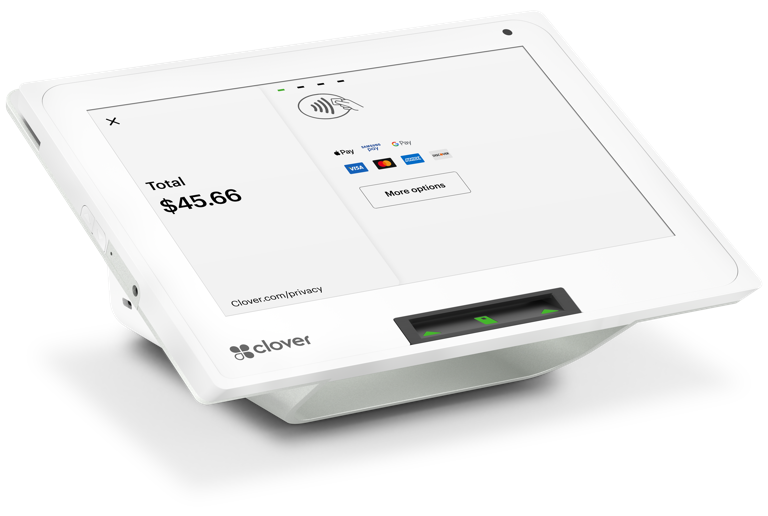
A compact counter setup
Make room for checkout on a smaller counter. Mini 3 gives staff an 8-inch touchscreen with built-in payment acceptance and receipt printing, without a full-size workstation.
8-inch screen · Built-in printer
A dedicated checkout station
Give staff a larger workspace while customers use a separate payment screen. Station Duo 2 suits fixed checkout areas where orders, items and customer interaction happen together.
14-inch staff screen · 8-inch customer screen
Flex 4 is our primary Flex model. Limited Flex 3 stock may remain available; its specifications differ.
Clover POS comparison
All three support chip, contactless and magnetic-stripe payment hardware. Accepted payment methods and the POS features you can use depend on the merchant setup, software and configuration.
| Device | Best fit | Mobility & screen | Receipts & scanning | Software & setup |
|---|---|---|---|---|
| Clover Flex 4 | Tableside, shop-floor and mobile checkout | Handheld; 5.99-inch touchscreen. Rechargeable battery; Wi-Fi or activated LTE service. | Built-in receipt printer and camera-based 1D/2D scanning with a scan button. | Choose a plan for your workflow. Check coverage, charging and app compatibility. |
| Clover Mini 3 | Compact, fixed countertop checkout | 8-inch touchscreen. Countertop use with Wi-Fi, Ethernet or enabled LTE. | Built-in receipt printer; front-facing camera supports 1D/2D scanning. | Plan-dependent tools; confirm any cash drawer, scanner or printer accessories. |
| Clover Station Duo 2 | A dedicated retail or restaurant counter | Fixed workstation; 14-inch merchant screen and 8-inch customer screen. Wi-Fi, Ethernet or enabled LTE. | Separate receipt printer; cameras support 1D/2D scanning. Confirm any dedicated scanner. | Larger counter footprint. Confirm the plan, cash drawer, printer and bundle contents. |
LTE requires an activated service, compatible configuration and carrier coverage. Scanning hardware alone does not determine inventory or ordering workflows.
Match the workflow
Consider Flex for tableside payment, Mini for a compact service counter, or Station Duo for a larger fixed station. Confirm the restaurant plan supports your menus, modifiers, tipping and order flow; kitchen equipment may need separate configuration.
Compare Mini’s smaller footprint with Station Duo’s larger staff screen and separate customer display. Check item variants, inventory, barcode workflows and returns against the software you plan to use. Flex can support checkout away from the counter.
Mini can suit a reception desk; Flex can bring payment to the customer. For appointments, invoices, recurring payments or work across locations, confirm the required plan, app and account capabilities rather than assuming they come with the device.
Clover software and plans
A Clover POS system combines hardware, software and a merchant setup. Choose a software plan and apps that support your workflow.
List the tasks your team must handle: checkout, item or menu management, employee permissions, inventory, reporting, tips and customer programmes. Ask which are included in the quoted plan and which need an additional subscription or app.
Clover’s reporting and dashboard tools can help you review sales and activity. Confirm the reports, access and multi-location structure your business needs.
The Clover App Market offers additional business tools. Check app compatibility and subscription fees before adding a tool.
Discuss your payment and business integration requirements, including accounting, online sales and any existing software, before choosing hardware.
Clover POS pricing and fees
Clover POS cost depends on the device, software plan, business requirements and processing arrangement. Request an itemized quote for upfront and monthly costs.
Clearly Payments can help scope the system and provide a quote for your U.S. business. Compare upfront costs, recurring charges and agreement terms together.
Your Clearly Payments quote identifies included equipment, optional services and recurring charges.
Narrow your shortlist
Choose handheld mobility and receipts at the customer with Flex. Choose Mini when checkout stays at a smaller counter and a larger screen or Ethernet matters.
Mini keeps the footprint compact. Station Duo creates a larger workstation with separate staff and customer screens. Compare available counter space and the way customers pay.
Flex brings checkout to the customer; Station Duo gives staff a fixed workspace. A combined setup may suit both jobs, subject to software, account and device compatibility.
Buyer questions
Clover combines payment hardware with POS software. The right device can handle checkout, while the chosen plan and apps determine the wider business tools. If you mainly need card acceptance, compare our payment terminal options as well.
Our U.S. lineup includes Clover Flex 4, Clover Mini 3 and Clover Station Duo 2. Flex 4 is the primary Flex model; some Flex 3 units may remain available in limited quantities. Confirm the exact device and bundle in your quote.
No. Clearly Payments currently offers Clover to U.S. businesses only. Canadian merchants can explore our other POS systems and payment terminals. This describes Clearly’s current offering, not Clover availability through other providers.
Start with the workflow rather than business size alone. Flex suits handheld checkout; Mini suits a compact fixed counter; Station Duo suits a dedicated workstation with a separate customer screen. Compare the software, number of users and overall cost before deciding.
Your quote should separate hardware, software, processing, optional apps and services. Recurring charges depend on the arrangement. Ask Clearly Payments for the complete upfront and monthly cost, the agreement term and any cancellation charges.
It can be, when the hardware and software match the operation. Restaurants should confirm ordering, menus, modifiers, tipping and kitchen workflows. Retailers should confirm items, variants, scanning, inventory and returns. These capabilities are plan- and configuration-dependent.
Multiple devices can form part of a compatible setup, but confirm the account structure, software plans and supported workflows first. Apps, accessories and integrations may have separate requirements or fees.
No. Flex 4 supports Wi-Fi and LTE; Mini 3 and Station Duo 2 also support Ethernet. LTE needs enabled service and coverage. Confirm the quoted model and the connection available at your actual checkout location.
Do not assume it can be activated or moved to a different merchant account. Ask Clearly Payments to review the device generation, existing arrangement and eligibility before purchasing or changing providers.
Related payment options
Compare other POS approaches when your business needs a different fit.
Explore POS systems →Consider a dedicated terminal when payment acceptance is the main job.
Explore payment terminals →Discuss the software and payment connections your operation needs.
Review integration options →Talk through your Clover setup
Tell us how you sell, where checkout happens and which tools your team needs. Clearly Payments will help you compare the device, software and processing arrangement.
Clover through Clearly Payments is available to U.S. businesses only.