
At the table or on the floor
Bring the payment device to a restaurant table or a customer in-store. Check restaurant ordering, tipping and bill-splitting requirements against the proposed software.
Ingenico · Smart handheld payments
Take payments where your customers are, with a wireless touchscreen terminal, built-in receipt printer and supported business tools.
Use it as a standalone smart handheld, or make it part of a broader POS setup. Clearly Payments helps match the device, software and payment connection to the way you sell.
Available through Clearly Payments in Canada and the U.S.
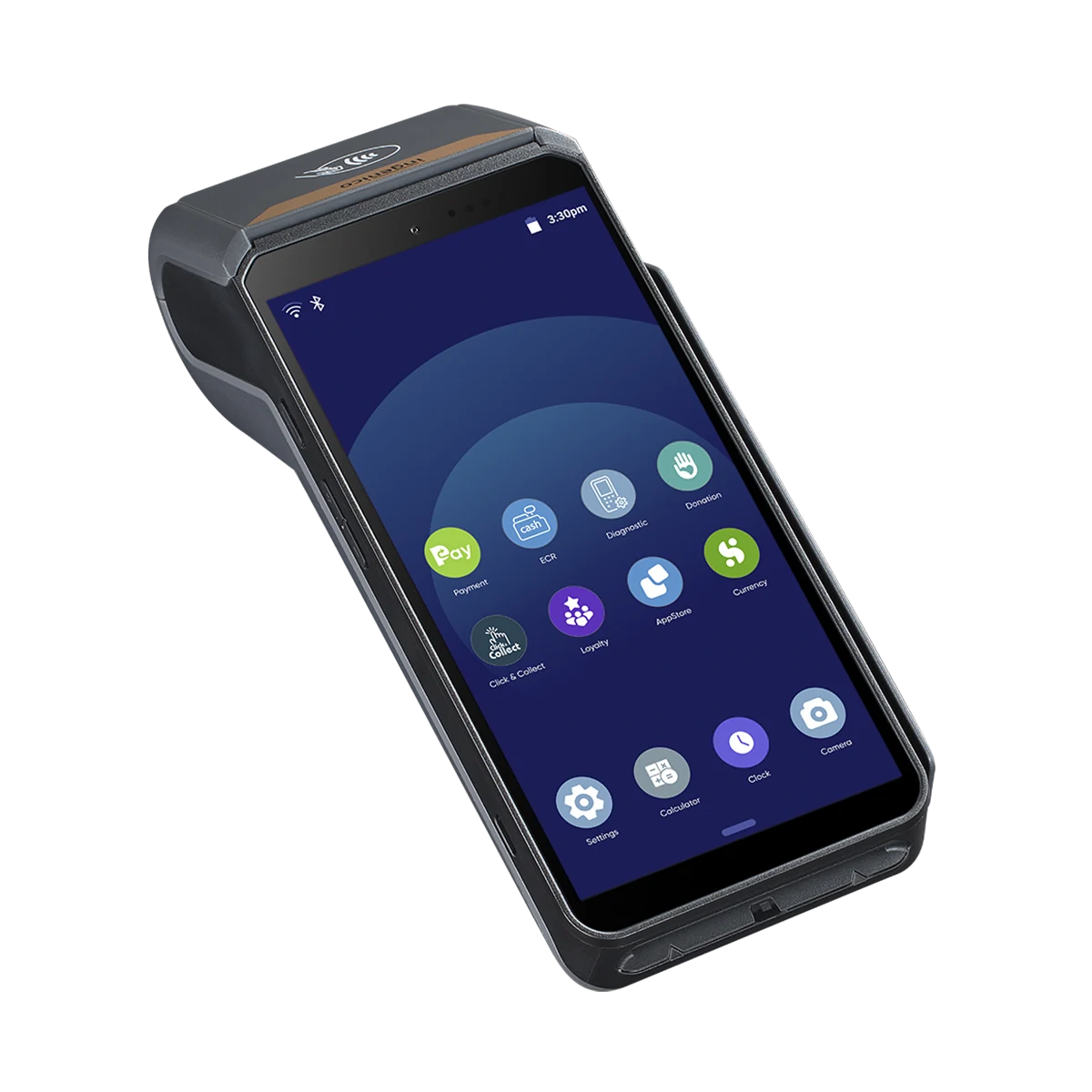
6-inch touchscreenClear handheld interface
Wi-Fi + 4GChoose supported connectivity
Tap · chip · swipeContactless, chip and magnetic stripe
Receipt printerPrint from the device
Android platformSupported on-device applications
Portable operationNo counter station required
A checkout you can carry
Not every business needs a large screen, cash drawer and fixed checkout. The AXIUM DX8000 combines payment hardware and a printer in one rechargeable device, with an application chosen for your selling workflow.
Bring the payment device to a restaurant table or a customer in-store. Check restaurant ordering, tipping and bill-splitting requirements against the proposed software.
A dedicated handheld can suit delivery and mobile service teams that want to take payment and print a receipt without using a personal phone for checkout.
Keep the counter compact. Review coverage, charging and paper supplies before depending on the device at a temporary location.
Payments and connectivity
The hardware supports chip and PIN, contactless cards, magnetic stripe and compatible mobile wallets. QR-based payment capability is available on the platform when supported by the application and payment arrangement.
Use Wi-Fi at your premises or a supported cellular setup when you need to move beyond it. Bluetooth can support approved connections and accessories; it does not establish compatibility with every POS or printer.
Cellular requires an enabled SIM and service plan. Network coverage, debit acceptance and individual payment schemes must be confirmed for your country and account.
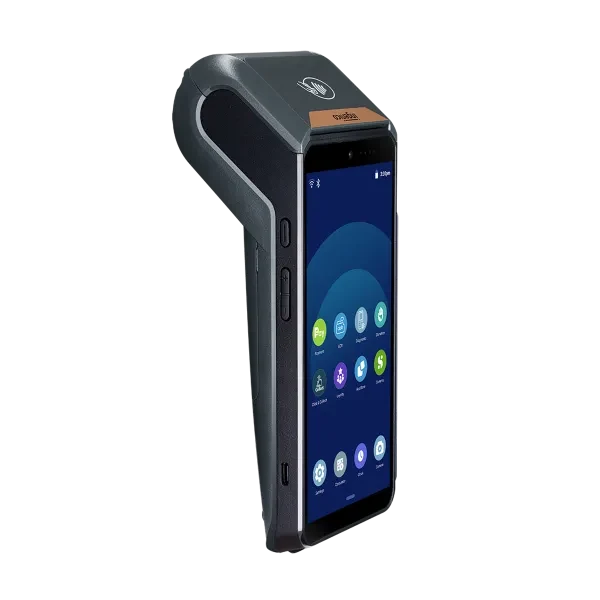
Choose the software as carefully as the device
The touchscreen, cameras, code-capture capability, printer and wireless connections provide the platform for a smart checkout.
The installed application determines the sales tools you can use. A talech Terminal setup can support a focused product catalogue and reporting; broader POS tools depend on the selected solution.
Clearly Payments matches the payment application, merchant account, connectivity and accessories to your business. Apps and POS connections must be compatible with the selected software.
Verified hardware
Specifications are for the 6-inch DX8000 supplied by Clearly Payments. Other DX8000 variants have different specifications.
Hardware references: Ingenico AXIUM DX8000 documentation.
Two ways to build checkout
The right choice depends on where the work happens and how much equipment and software your checkout needs.
Best fit: Portable payment and supported on-device selling with minimal counter hardware.
Equipment: Handheld touchscreen, integrated card readers and receipt printer.
Workflow: A focused application on the terminal; no separate Register or phone required.
Before ordering: Confirm the app features, Wi-Fi/cellular arrangement and charging accessories.
Discuss a standalone AXIUM setup →Best fit: A broader counter-based sales and business-management workflow.
Equipment: Register display, compatible cash drawer, receipt printer and selected peripherals; kitchen printing where applicable.
Workflow: Larger-screen checkout and supported operational tools, with AXIUM handheld use scoped to the deployment.
Before ordering: Confirm software tier, payment-device connections and peripheral compatibility.
Explore talech POS →For a larger POS deployment, Clearly Payments connects the handheld to compatible POS software and equipment. Register and Terminal offer different business tools.
Before you choose
Check Wi-Fi where staff actually work. For mobile routes, confirm the supported cellular service, coverage and ongoing data cost.
Plan charging between shifts and keep thermal receipt rolls on hand. Heavy printing and cellular use affect battery life.
Request separate equipment, software, processing, cellular and accessory costs. If cash handling, kitchen printers or a larger display are central to the job, compare a full POS setup.
Buyer questions
It is an Android smart payment terminal with a touchscreen, card readers and an integrated receipt printer. Supported software adds on-device selling tools, so it can suit a merchant who wants a dedicated handheld checkout without a full counter station.
Yes. The supplied hardware supports Wi-Fi, Bluetooth and 4G cellular connectivity. Cellular service requires an enabled, supported SIM and data arrangement; coverage and network availability still matter.
Yes. A standalone smart-terminal setup does not require a separate Register screen or a personal phone as the checkout device. It still needs a configured payment application, merchant account and network connection.
Yes. The built-in thermal printer uses receipt rolls, so you can print at the table, counter or point of service. Keep replacement paper and a charging plan with the device.
The hardware supports tap, chip and PIN, and magnetic-stripe reading, including compatible contactless wallets. The payment methods actually enabled depend on the merchant account, software and country.
Yes. talech Terminal runs on the AXIUM platform. It can provide a focused handheld setup or be considered alongside a broader talech POS deployment. Confirm the required ordering, reporting and peripheral workflows; it does not automatically duplicate every Register feature.
Its portable reader and printer can suit tableside payment. Sending orders, managing tables or splitting bills requires the appropriate restaurant software and supported setup; these are not guaranteed by buying the hardware alone.
The cameras support code capture, and the platform can support QR-based payments. Scanning workflows and individual QR payment schemes must be supported and enabled in the installed application.
The hardware supports both. Clearly Payments can help review the connection for your premises or mobile route. Confirm cellular coverage, data charges and the supported device/SIM configuration before relying on it away from Wi-Fi.
Consider a full talech Register setup when you need a larger screen, regular cash handling, kitchen printing or several checkout peripherals. Choose the handheld route when a compact payment-and-selling device better fits the job.
Ask Clearly Payments for a quote covering the terminal, software, payment processing, cellular service and optional accessories separately. Your quote identifies the software and services included.
Related solutions
Compare fixed-counter and portable devices for the way you accept payments.
Compare payment terminals →Compare a dedicated terminal with phone- or tablet-based payment acceptance.
Explore mobile payment options →Match the device to payment processing and the account your business needs.
Review merchant payment processing →Clearly Payments · Canada & U.S.
Tell us where you sell, which software tools you need and whether you want a standalone handheld or a wider POS deployment. We’ll help you compare the equipment and payment arrangement.